

What Yuzu creates
After a call is processed, Yuzu can draft follow-up copy using:- The current transcript.
- Previous calls in the same deal.
- Captured next steps and objections.
- The generated TLDR video or Yuzu Link, when available.
- Existing email thread context when a reply is being drafted.
How to use a draft
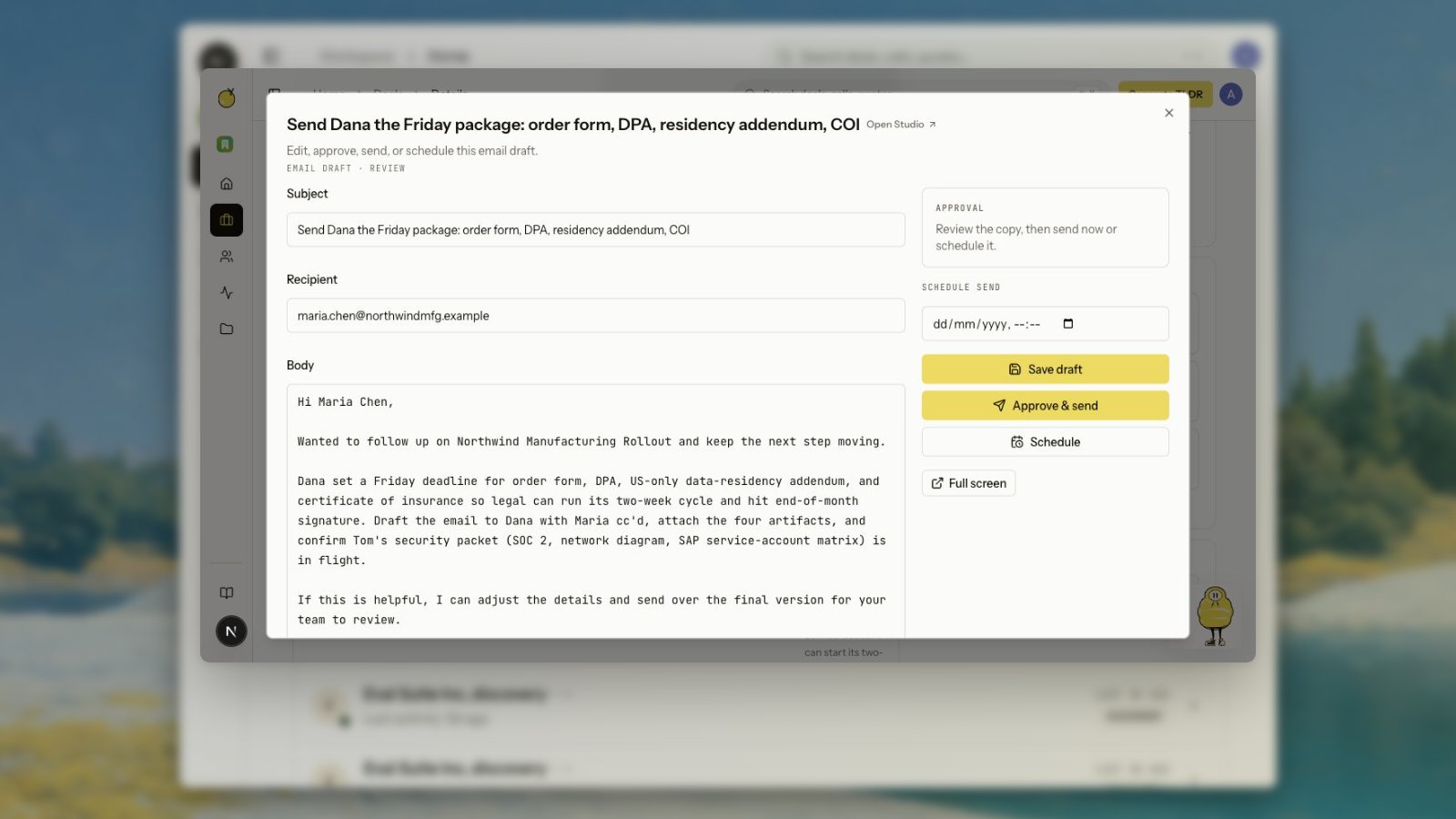
Review the draft, edit it, and send it from the app when Gmail is connected. Deal next-action cards can open drafts in context, so you can edit the recipient, subject, and body without leaving the deal. Buyer-package email rows should open the existing reviewable draft when one exists. If the package has not produced a draft yet, the row creates one and then returns the seller to review. The expected workflow is edit, save, approve, send, or schedule from the deal, not ask Zu where the email went. If email autopilot is off, agent-created sends wait for human approval before they leave the mailbox. If autopilot is on, the same draft and tracking path can send directly.Scheduling
You can schedule an email draft after review. Pick a future send time from the email editor, then click Schedule. Yuzu stores the schedule on the draft and sends it later through the connected Gmail account. Scheduled emails stay editable until the scheduled time. If you change the copy, save the draft before scheduling again. Use Clear schedule when the email should stay as a draft.Scheduled sends require the same Gmail connection and
gmail.send scope as immediate sends.- Bold and italic text
- Bulleted and numbered lists
- Links
- Inline pasted images
- File attachments within the composer limits