

Deal briefs, account memory, Slack review, and native meeting capture
Deal pages now start with a brief
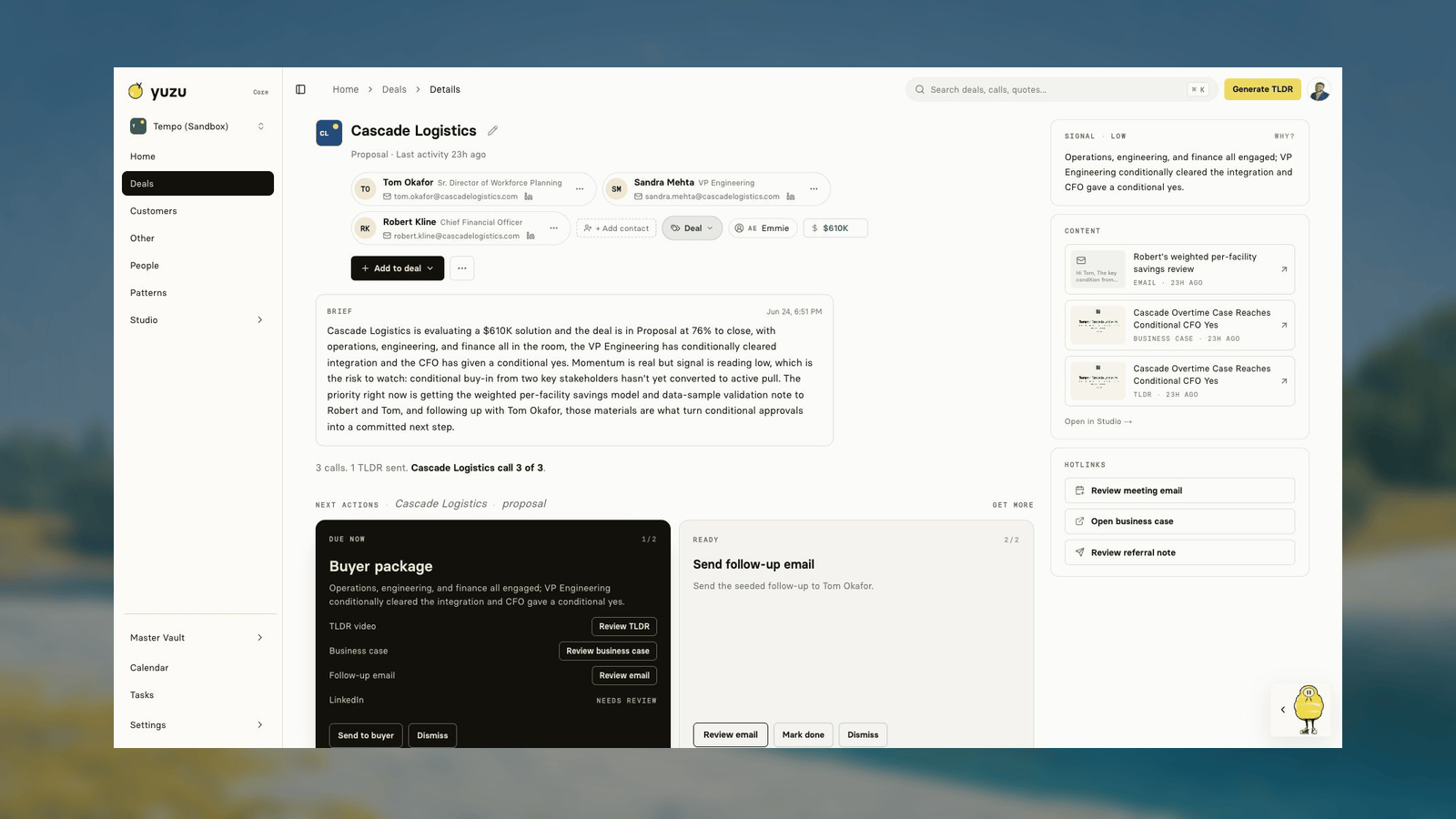
Deal pages can now show a timestamped brief above next actions. The brief summarizes where the account stands, why the signal matters, and which move should happen next.Under the hood, Yuzu now keeps a per-deal account memory layer. That memory gives Zu and the deal agent a stable view of the account instead of forcing every run to rebuild the story from raw events.Next actions follow the path to close
The deal agent no longer treats the buyer package as the answer to every event. The TLDR, business-case page, and follow-up email still stay available when a deal has buyer-package work. The next action now focuses on the concrete step that moves the deal forward.For stalled deals, that usually means one final check-in email instead of an empty action list. For active deals, it means the action should point at the current path-to-close step.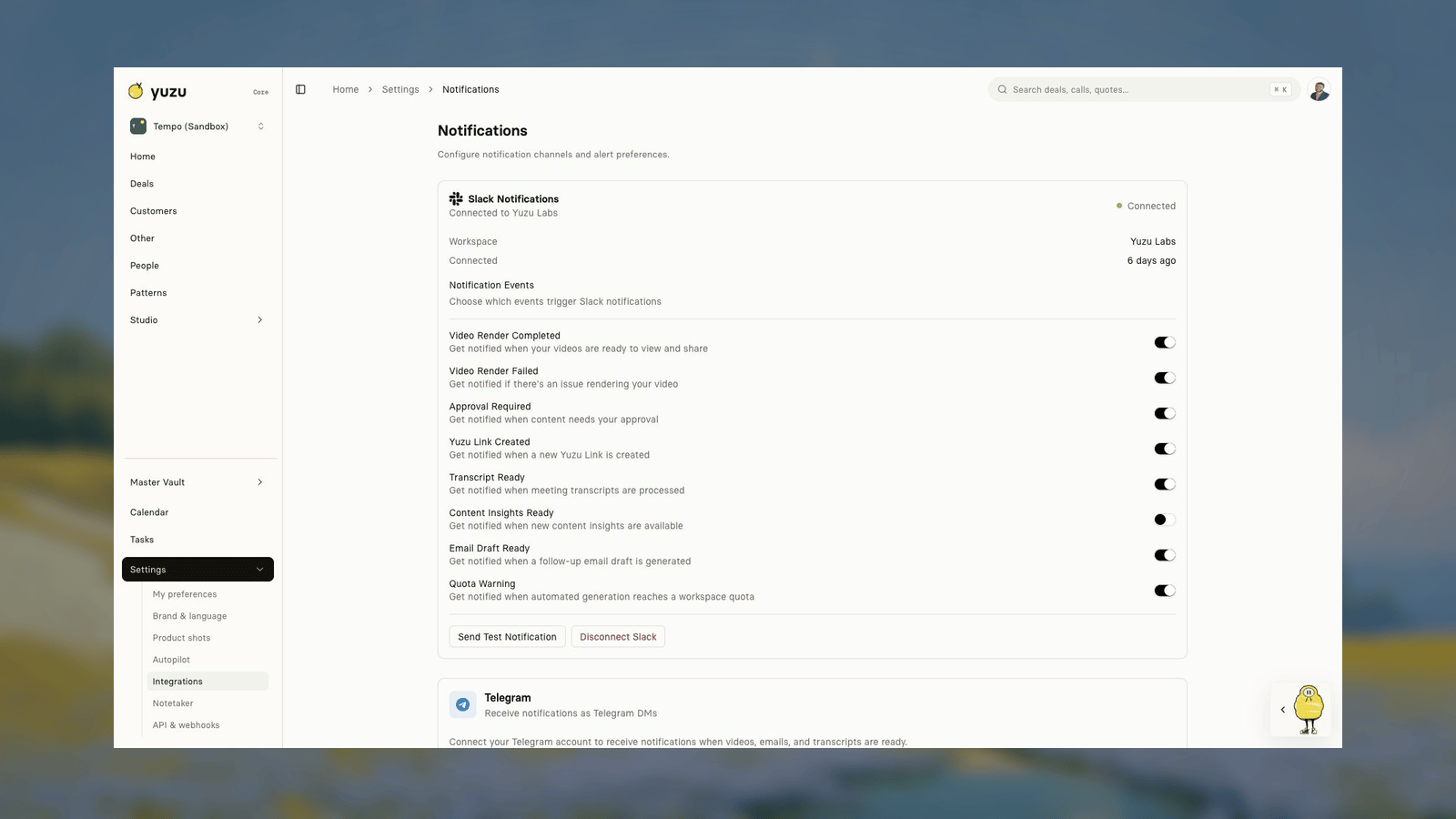
Slack can review and send work
Slack notifications now carry more of the finished package: the video, business-case link, and email. Sellers can review, edit, and send an email from a Slack modal, use a compose shortcut, or save the message as a Gmail draft.Slack request verification now fails closed, and review actions check draft ownership before changing or sending work.Native meeting capture is connected
The native Yuzu Notetaker can now connect to a workspace and sync completed calls back into Yuzu. This gives teams another path for meetings that are not coming from Fireflies, Fathom, Granola, HubSpot, or Zapier.Fixes and polish
- Email drafting moved to Claude Opus 4.8 with a value-led prompt and less brittle greeting logic.
- TLDR narration tempo was restored and segmentation budgets now scale toward the target duration.
- LinkedIn hosted auth requires the expected webhook secret and owner checks.
- Tempo Sandbox seed tooling gives the team a safe account for docs screenshots and product demos.
- The public landing surfaces were cleaned up with new segment and use-case pages, product demos, and current-brand typography.
Safer classification, ownership, and external Zu chat
Deal views respect type and owner
Deal lists, pipeline views, and detail pages now handle customer, investor, internal, partner, hiring, and other work more consistently. Counts are scoped to the current view, type fallbacks are safer on older rows, and member views stay limited to records the user is allowed to see.The sidebar also has an Other route for work that should not be forced into the customer pipeline.Zu can answer from Slack and Telegram
Zu can now receive inbound chat from external channels, route it to the mentioned workspace, and reply with the workspace scope visible. Slack replies are formatted for the channel instead of looking like raw app text.This is useful for quick questions such as “what changed on this account?” without making the seller open Yuzu first. When Zu creates work, the real review surface still lives in Yuzu or the connected approval flow.Backfills and enrichment are safer
LinkedIn enrichment, company enrichment, and PredictLeads ingestion now use stricter matching and bounded scans. Fathom polling was added, historical reviewed deal backfills are safer, and orphan transcript recovery avoids turning old calls into broken or duplicate work.Fixes and polish
- Customer and deal visibility no longer depends on broad workspace reads that can hit Convex limits.
- LinkedIn matching now requires stronger company/profile evidence before attaching a person.
- PredictLeads webhook payloads are consumed directly when possible, with quota exhaustion handled safely.
- Buyer inference understands seller title aliases when assigning unassigned calls.
- Deal classification controls and scoped counts have regression coverage.
Weekly digests, external link evidence, and buyer-package fixes
Weekly GTM digests
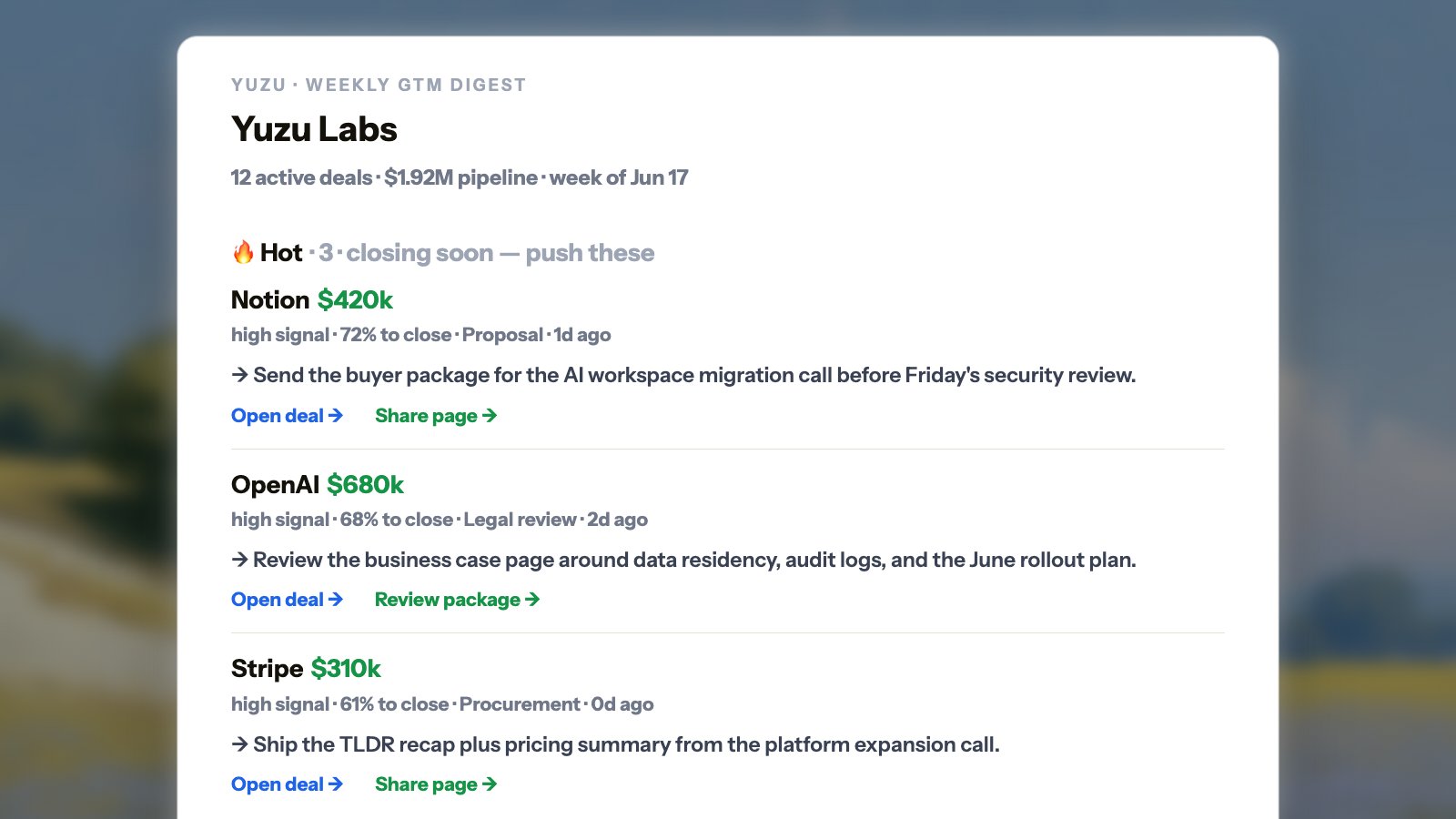
Yuzu can now generate a weekly digest that is easy to skim before pipeline review. It groups active buyer deals into Hot, Get it going, and Stale, with pipeline value, signal, close progress, and links back to the deal or buyer page.We also added daily and team digest variants: daily for new deals and buyer packages waiting on review, team for a rep-level view of hot and stale opportunities.Add external links as deal evidence
Deal pages now let you add an external link from the Add to deal menu. Yuzu stores the link, title, and metadata, and pulls readable page text into the deal when the URL is safe to fetch.This is useful for pricing pages, implementation docs, security questionnaires, buyer requirements, and other material that should inform the next action.Company and people enrichment
Yuzu can now enrich companies and people from LinkedIn and company-signal sources with stricter matching. The enrichment jobs are gated, paginated, and scoped so large workspaces do not need full-table reads just to keep profiles fresh.Buyer-package fixes
We fixed several rough edges in TLDR and business-case generation: stale master business page state, share-side effects, seller-logo thumbnails, image-only TLDR generation, avatar crop ordering, and narration/avatar sync.Fixes and polish
- Manual deal creation reuses an existing buyer account for the same domain when possible.
- Merged deals are guarded in dead-letter and ingestion paths so old IDs do not create broken work.
- External link ingestion records page content only after authorization and safe-fetch checks.
- GTM digest currency formatting is easier to scan for million-dollar pipeline values.
- Product-shot collections marked as archived are excluded from agent visual selection.
Actionable Home, company views, and large-workspace reliability
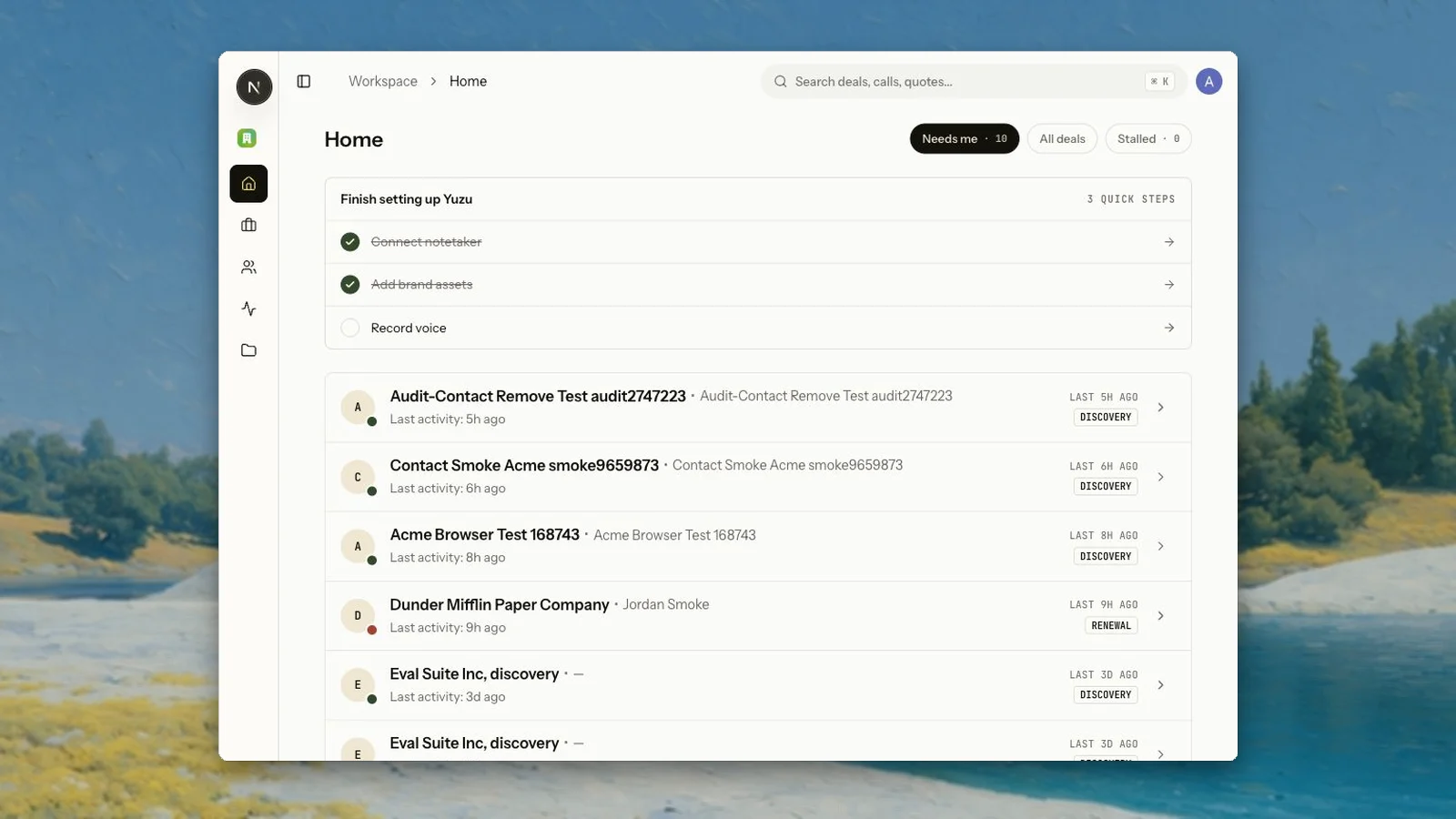
Home shows the work that needs action
Home now pulls real next actions into the main workspace view. Sellers can mark an action done, dismiss it, or jump into the review surface without opening every deal first.Resolved work is tracked as resolved, dismissed, or platform-completed instead of disappearing without context. Zu can use that resolution history when it decides what should happen next.Companies are easier to inspect
People now includes company-level views that group people, deals, and company logos by domain. Yuzu also stores company associations and stats directly so the list can load without expensive per-person or per-deal scans.Internal, fundraising, customer, and other deal views were split out so founder workflows do not have to pretend every record is a normal customer opportunity.Large workspaces are safer
Several reads were rewritten to avoid 16MB Convex read-limit failures on people, deal lists, companies, and deal detail pages. Asset rollups, company stats, and list metadata are denormalized onto the rows that need them so common views do not hydrate the whole workspace just to render a page.Fixes and polish
- Auto-archived deals can reactivate when a new call arrives.
- Deal action resolution is visible on Home, deal pages, and Tasks.
- Business-case sharing, seller-logo thumbnails, avatar focus, and product-clip selection were tightened.
- Deal-agent large-deal runs now preserve the analysis instead of truncating useful context.
- ClickHouse system logs were bounded after local infrastructure filled disk with unbounded log tables.
Calendar, booking links, and a real task queue for seller work
Calendar is now part of the operating loop
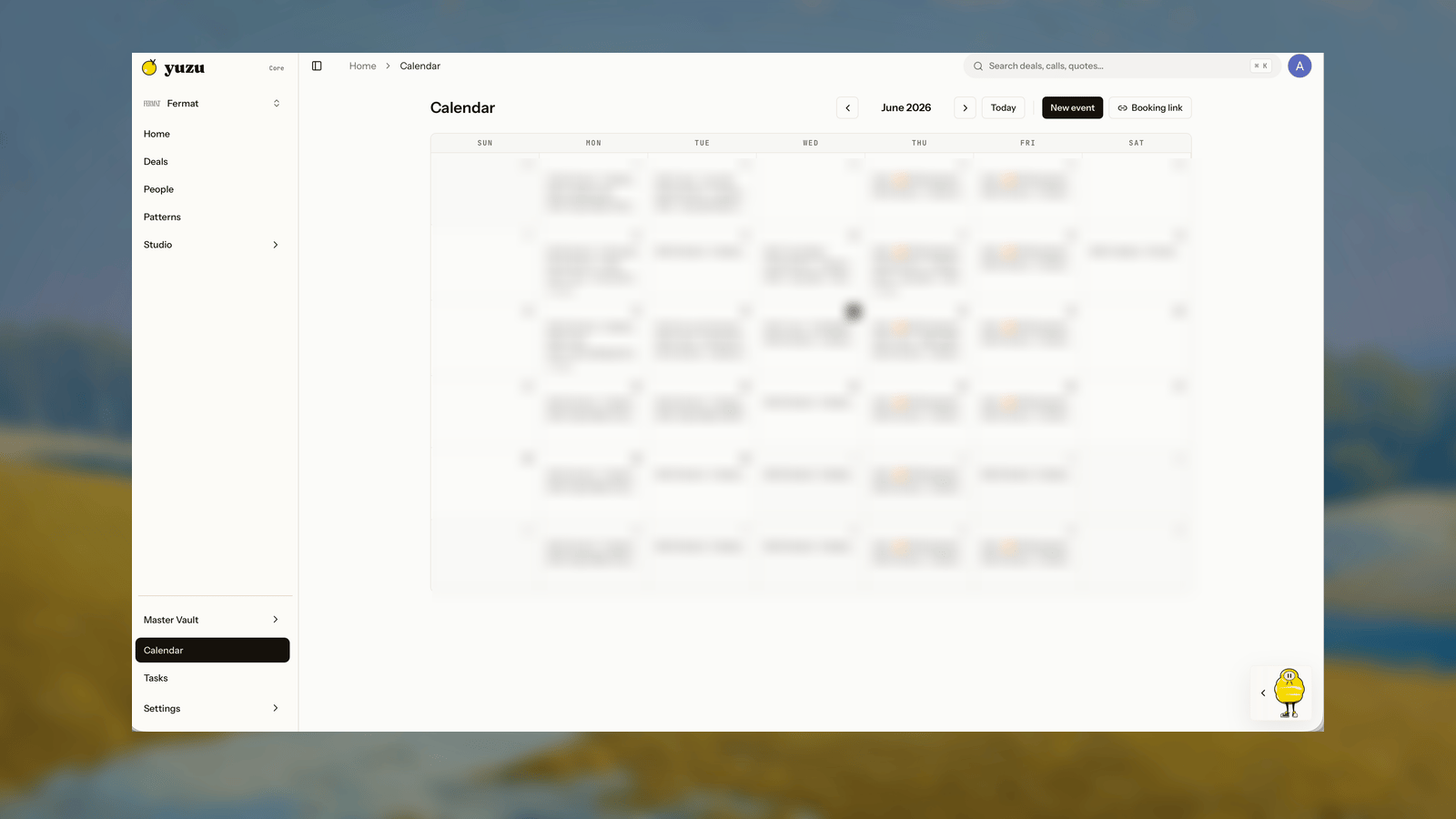
Yuzu can now sync Google Calendar, show meetings in a dedicated Calendar page, create real calendar invites, and let sellers reschedule, cancel, RSVP, join Meet calls, or open events in Google Calendar from the app.Deal next actions can also open a meeting invite dialog instead of sending the seller to a blank calendar tab. Yuzu pre-fills known deal contacts, creates the invite from the connected Google account, and can clear the scheduling action when it sees an upcoming meeting with the buyer.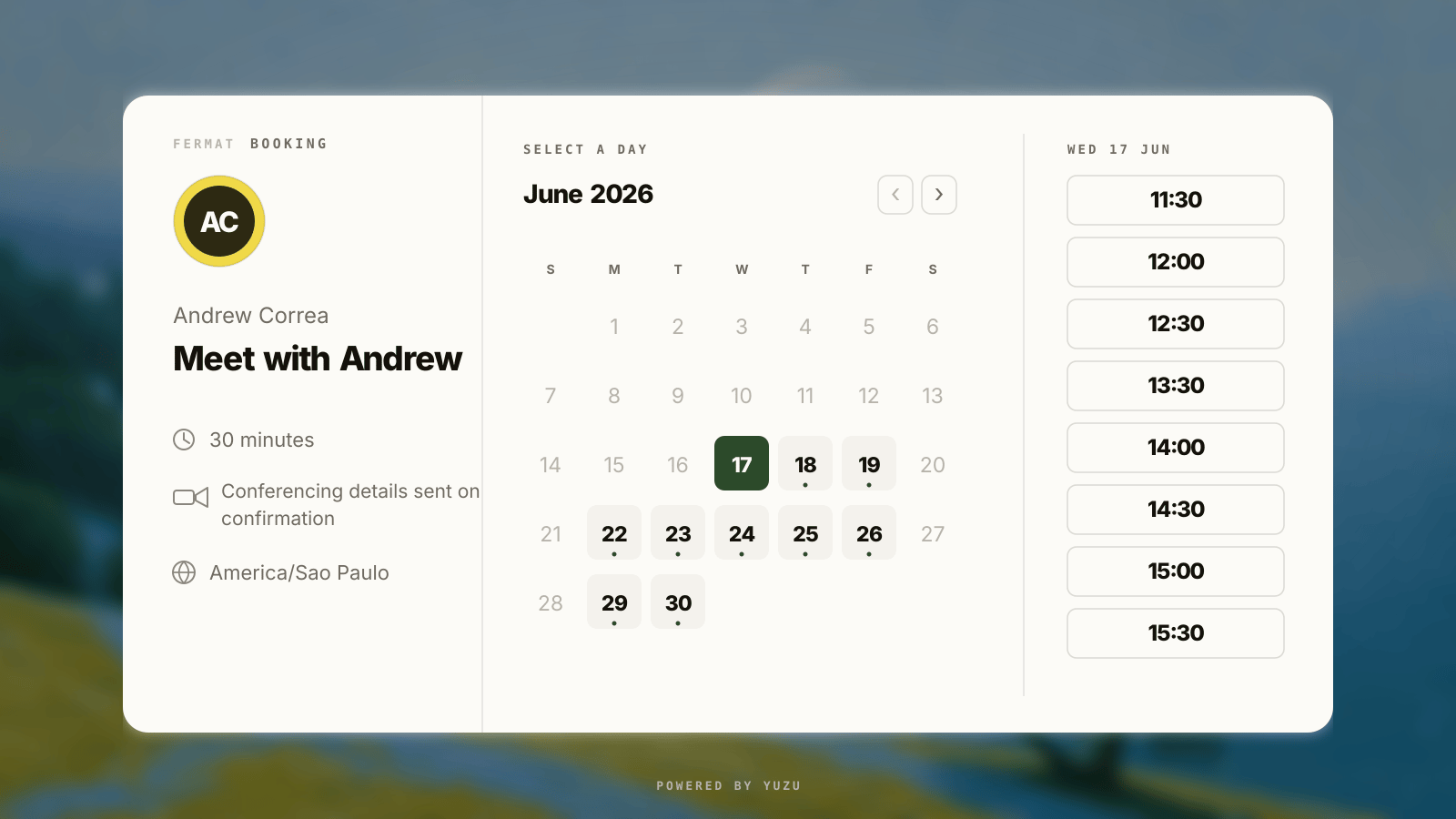
Booking links live in Yuzu
Each seller can create a public booking link, configure working hours, duration, horizon, timezone, and active/paused state, then copy or preview the/book/[slug] page. Bookers only see available slots. Before an event is created, Yuzu re-checks live calendar availability so stale slots do not turn into bad invites.Tasks separates seller work from deal signal
Tasks is now a real cross-deal work queue. It combines manual personal tasks with Zu-generated approval work, including TLDR review, business-case review, email review, and meeting scheduling. Sellers can switch between board and list views, filter by source or due date, search by task or deal, show done work, and export a CSV.Manual tasks stay personal and do not retrigger deal reasoning by themselves. Buyer activity still belongs in the deal thread; Tasks is for work waiting on the seller.Fixes and polish
- Calendar month navigation syncs the viewed range instead of only relying on a rolling background window.
- Booking links prefer the owner’s Google Calendar timezone when available.
- Meeting next actions now create real Google Calendar events with guest invites.
- Task cards from Zu open the actual review surface instead of hiding the underlying work.
- Manual task status can be changed by drag and drop or by a keyboard-accessible status selector.
Master business pages, VC classification, and presenter avatars
A master business page for what you sell
Home can now create a master business page: a shareable overview page and master TLDR generated from your product description plus one real call transcript. Once published, the page gets a readable/v/[company-firstname] link instead of a random share code.This is not the same as a deal-specific business-case page. Use the master page for low-context introductions and general product explanation. Use the buyer package on a deal when Yuzu has enough buyer-specific evidence for a TLDR, business-case page, and follow-up email.Investor calls no longer leak into buyer GTM memory
Yuzu now classifies fundraising, investor diligence, board, and capital-raising calls separately from normal buyer deals. Those records can be filtered as VC / investors in Deals, and the agent prompt now keeps investor evidence out of ICP, pricing, objections, TLDRs, business-case pages, and buyer follow-up unless the same fact is supported by buyer or customer conversations.This matters because founder workflows often mix sales, fundraising, partnerships, and internal work in the same meeting tools. Yuzu should preserve the signal without turning every investor call into buyer-facing GTM advice.Presenter avatars are photo-based now
The old legacy avatar requirement is no longer the main setup path. Sellers can upload a photo, choose realistic or cartoon style, generate a HeyGen talking photo, and decide whether the presenter appears in TLDR videos. Cartoon avatars use a generated preview first, then build the talking avatar from the approved image.Master overview videos can also render without requiring a legacy 16:9 avatar, so new workspaces are not blocked from creating a business page before avatar setup is complete.Fixes and polish
- Business cases are listed under Studio -> Business cases; old deal-page URLs redirect there.
- The master business page lookup scans the user’s master overview flows directly instead of relying on a recent-flow window.
- Deal type filters now include customer, internal, investor, and other work alongside buyer deals.
- Avatar setup is available in onboarding and Brand and voice settings.
A grouped buyer package, business-case pages that actually ship, and deal-native review
The buyer package is one workflow now
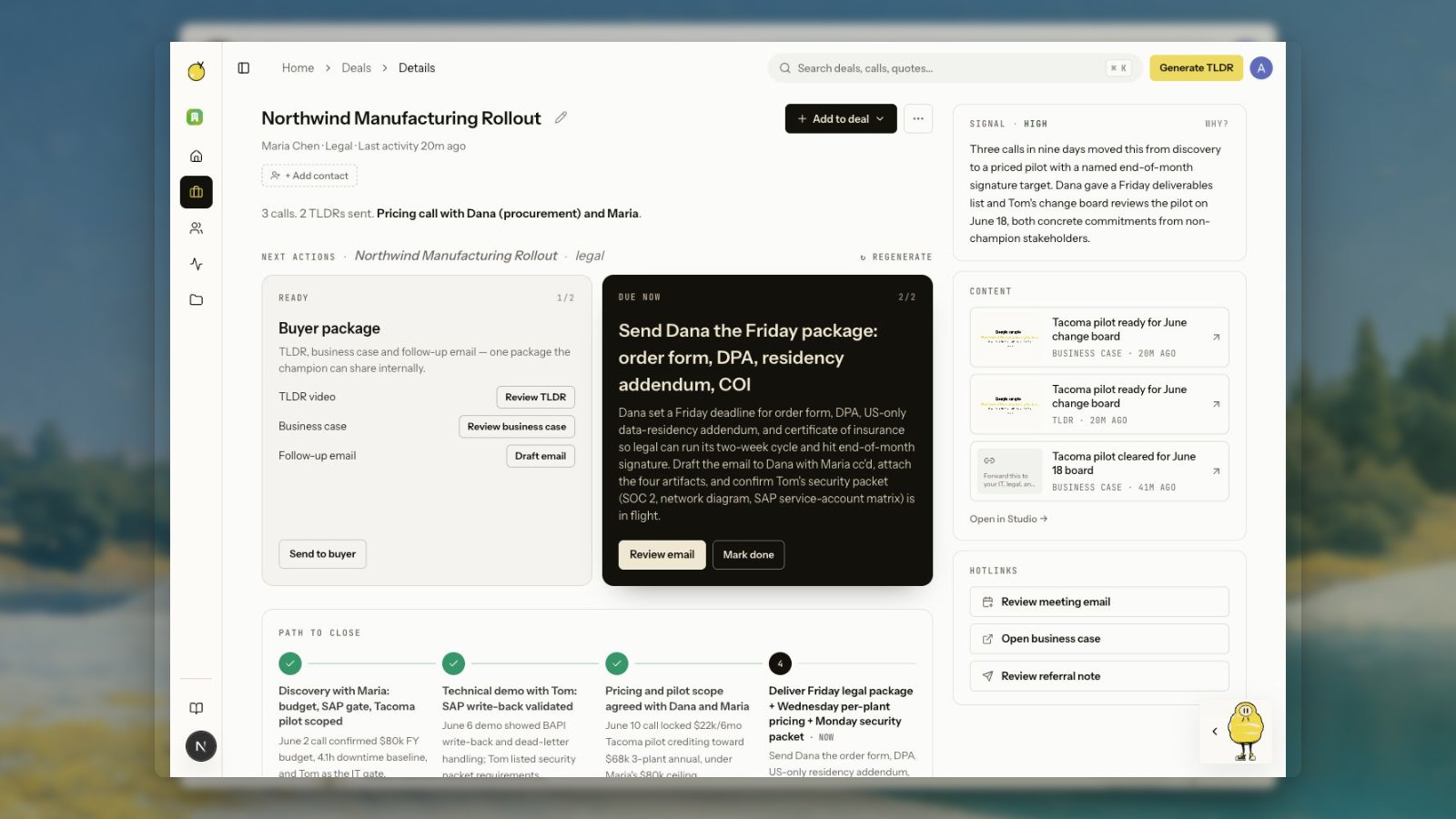
Deal pages now group the standard buyer package into one card instead of scattering TLDR, business-case, and email work across separate actions. Each row has its own state and action: create, generating, needs review, retry, or done. The package footer handles the seller-level send action once the pieces are ready.This makes the core flow clearer: first review or generate the TLDR, then review the business-case page, then send the short follow-up email. The contextual action next to the package still stays separate, so meeting-specific work like “send Dana the legal packet” does not get mixed into the standard buyer assets.The card also disables actions while generation is running and shows the in-progress state in place. Sellers should not have to guess whether a click worked, hunt in Studio, or ask Zu to create a draft that should already be attached to the deal.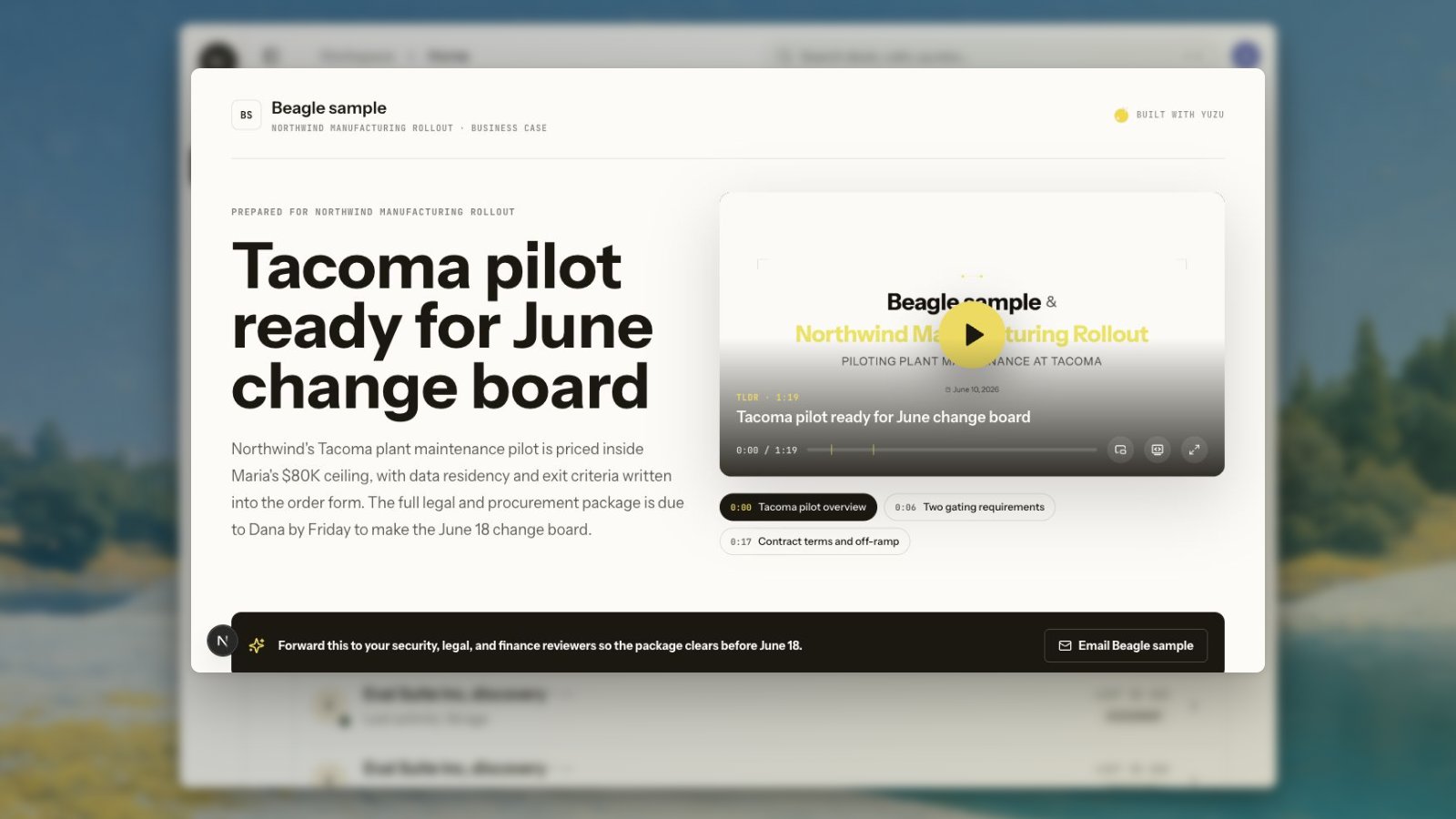
Business-case pages replaced the old deal-room links
Business-case pages are now the buyer-facing page for a deal package. The old public timeline-style deal room is no longer the expected share surface. When a seller clicks review from the package, they should land on the generated business-case page or the review surface that creates it.We also tightened the public page details that made these links feel unreliable: the browser title should only show one Yuzu suffix, share links should point at the business-case page, and generated pages should use the rendered video asset for the deal instead of falling back to onboarding sample media.Deal pages use the full working surface
The deal page layout now gives the next-action area more room, so package cards, contextual actions, the close plan, signal, content, and hotlinks can all coexist without forcing the main work into a narrow column.Fixes and polish
- Buyer-package actions are deduped so one analysis cannot create multiple TLDR/business-case/email package cards.
- Package rows show generating states and disable buttons while the async work is running.
- Business-case review links route to business-case pages, not stale timeline pages.
- The public business-case title avoids duplicate
| Yuzusuffixes. - Won, archived, and lost deals no longer show generation buttons unless there is an existing package asset to review.
Deal filters, path to close, and in-context email review
Email review happens where the deal happens
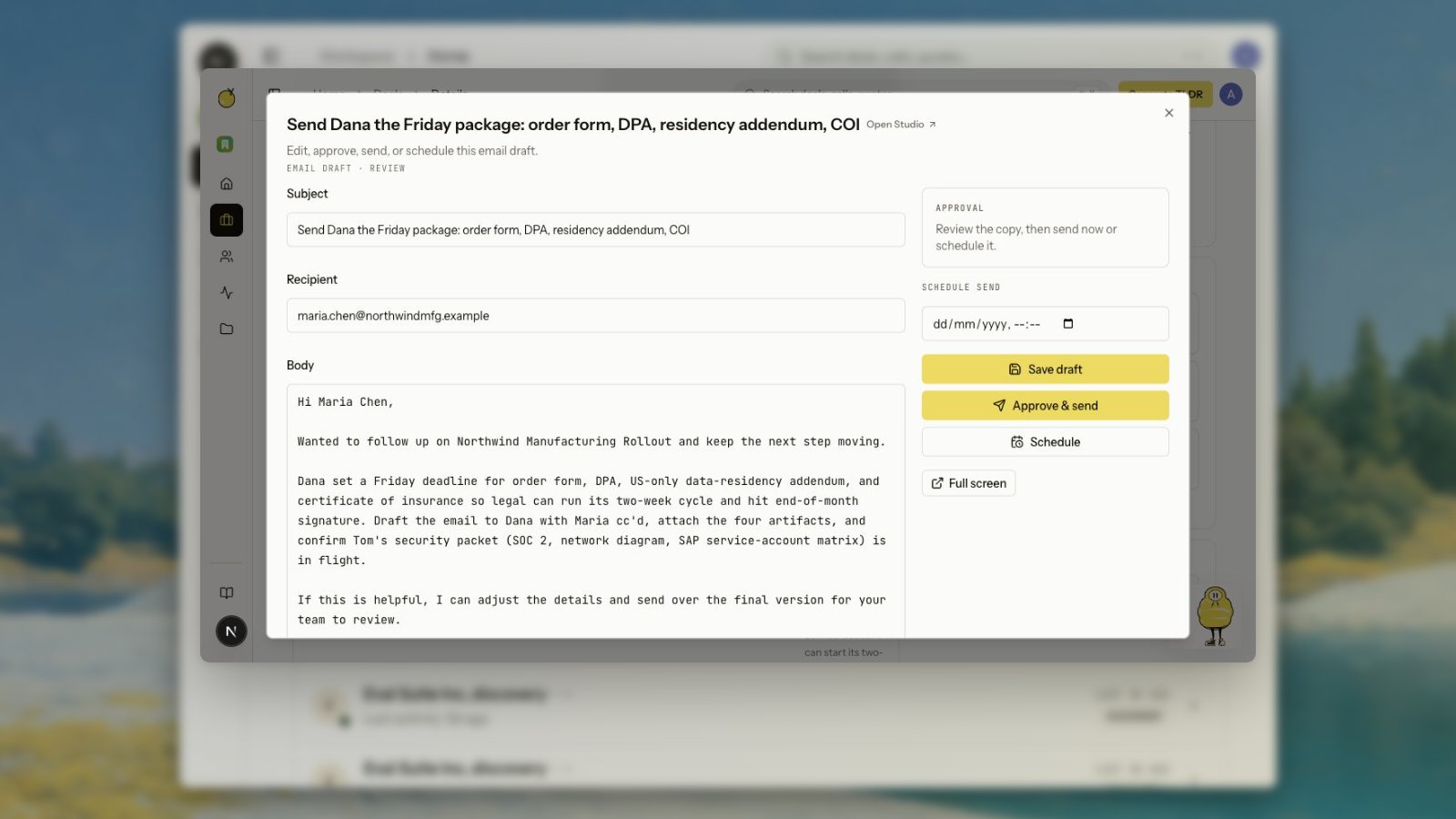
Agent-drafted emails now open from the deal page as reviewable drafts. Sellers can edit recipients, subject, and body, save changes, approve the send, or schedule it without losing the deal context that motivated the draft.Replies and new sends are treated as conversation threads, not one-off artifacts. When Gmail is connected, Yuzu can persist sent messages, show received replies, backfill relevant history for a person, and attach deal-scoped rows back to the right buyer thread.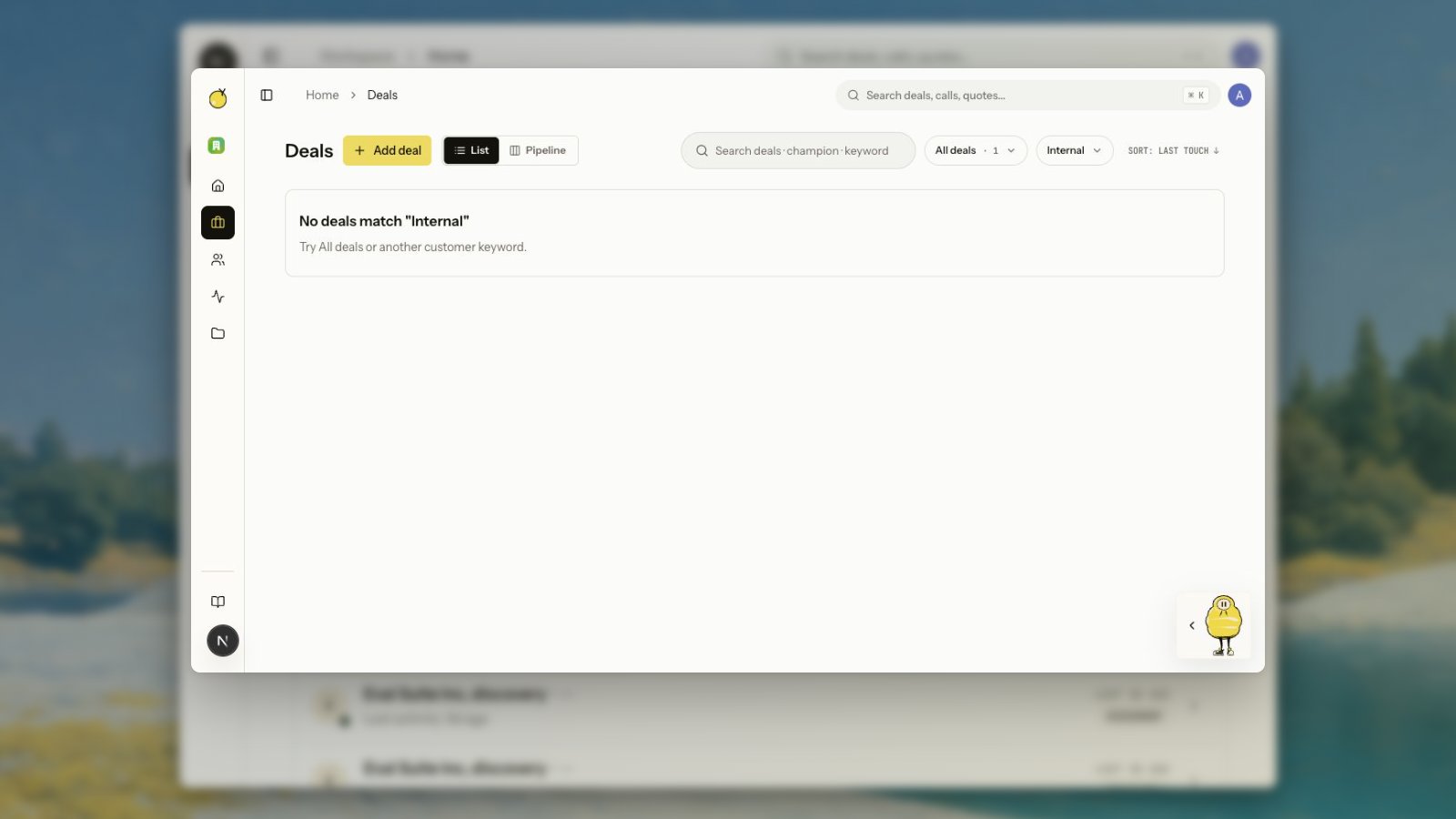
Deals are easier to scan
Deals now have a List/Pipeline switch and a type filter for views like Internal, VC / investors, customer opportunities, and other deal categories. Filters preserve the URL, so a filtered list or pipeline view can be shared or refreshed without losing state.Deal detail pages also show a short summary and a path-to-close timeline when the agent has enough evidence. Completed steps, the current “now” step, and upcoming steps make the chronology easier to understand than a loose pile of action cards.Fixes and polish
- Empty states mention the selected type filter instead of saying “All deals” when the filter is active.
- The pipeline header no longer renders a TLDR generation action with
dealId=pipeline. - Soft-deleted deals disappear from active lists and resolve to a safe not-found state from direct URLs.
- Archived deals leave active lists but remain available by direct URL.
- Regenerate buttons coalesce rapid clicks so one double-click does not create duplicate deal-agent traces.
Master Vault strategy docs, connected GTM signal, and stronger generation quality gates
Master Vault now carries GTM strategy
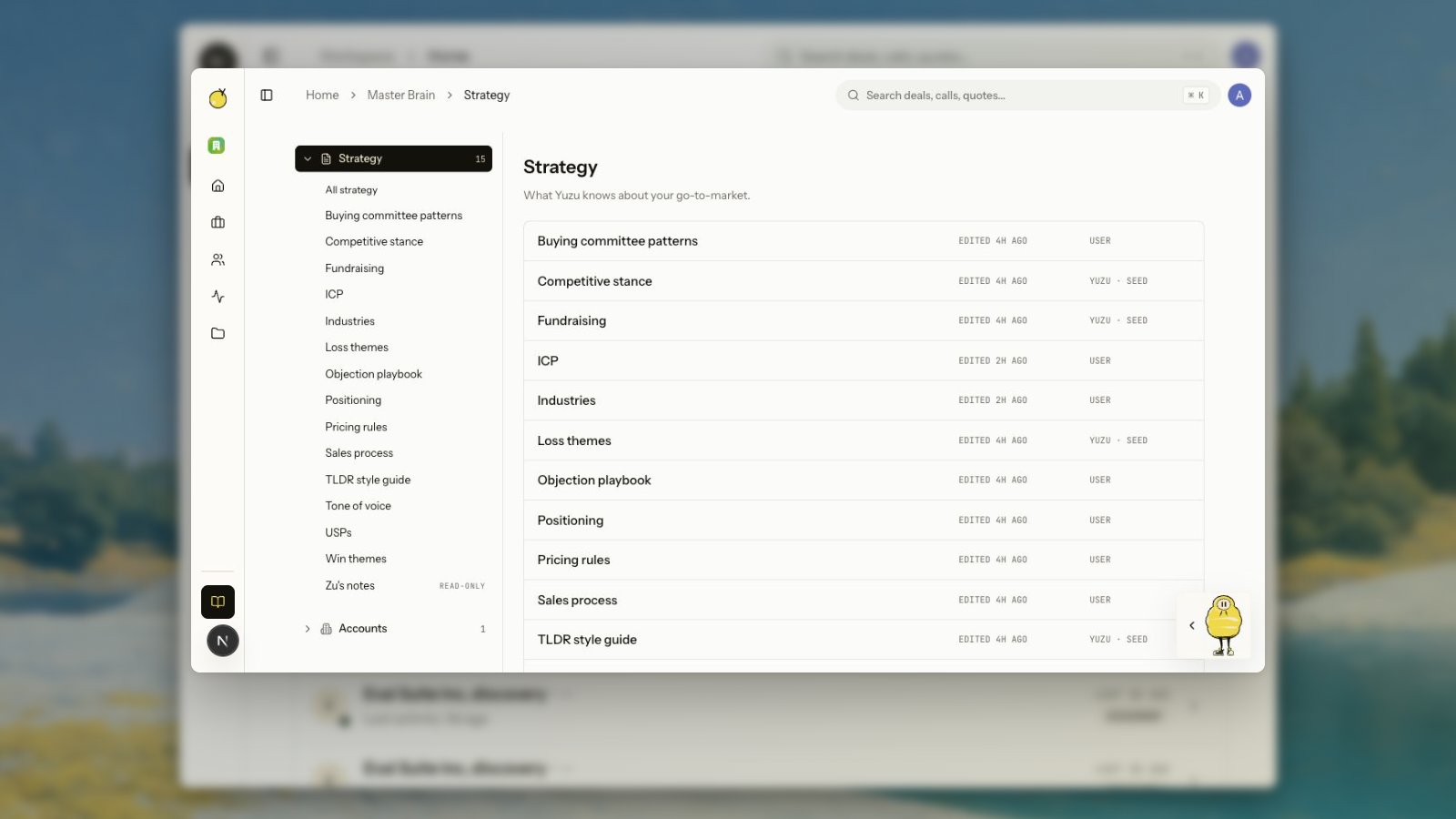
Master Vault is no longer just a place for notes. Yuzu now maintains strategy documents such as ICP, Sales process, Buying committee patterns, Positioning, Objection playbook, Pricing rules, Win themes, USPs, and Industries when the workspace has enough meeting evidence.Placeholder docs stay intentionally empty until the source signal exists. That keeps strategy memory auditable: drafted docs should come from actual calls, emails, and deal activity, not from generic startup filler.Gmail and LinkedIn are signal sources
Gmail can now power tracked sends, scheduled sends, reply detection, contact backfill, and deal-scoped email threads. LinkedIn can draft, review, publish, schedule, and pull reactions or comments back into Yuzu when Unipile is connected.Those events are normalized into deal signal so Zu and the deal agent can reason over what happened: who opened, who replied, who engaged, what changed, and which follow-up should be prepared next.Content gets judged before it reaches buyers
We expanded model routing and added LLM judge passes for generated content. Drafts can be scored against a rubric, revised with judge feedback, and rejected when the revision does not improve. The goal is not more AI copy; it is fewer generic, ungrounded, or buyer-unsafe artifacts reaching the review queue.Fixes and polish
- Gmail Connect opens the Clerk account connection flow instead of falling through to a sign-in redirect.
- LinkedIn settings now speaks in user-facing LinkedIn language instead of exposing Unipile implementation details.
- People records can be created from transcript email data and can infer deal relationships from sent or received email rows.
- The onboarding demo TLDR asset is self-hosted under
/onboarding/instead of depending on staging asset storage.
Scheduled email and LinkedIn sends, Granola all-time sync, and safer historical transcript handling
Schedule seller-reviewed sends
Email drafts and LinkedIn posts can now be scheduled after review. Sellers can edit the copy, choose a future time, and leave the asset in draft until Yuzu’s scheduled worker sends the email or posts to LinkedIn from the connected account.Scheduling uses the same approval-first workflow as send-now actions. The seller still reviews the draft before it leaves the workspace, and scheduled metadata is cleared if the schedule is canceled or the send completes.Granola can sync all available notes
Granola imports now support an all-time sync from notetaker settings. Use it when a workspace connects Granola after several customer calls already happened and needs those notes pulled into Yuzu.Older transcripts stay safer by default
Historical transcripts imported outside the recent-meeting window are preserved and searchable, but Yuzu does not automatically create new deal records for every old meeting. Assign those calls manually when they belong to an active opportunity, or use recent transcript recovery when you want the current deal-agent package on meetings from the last few days.Fixes and polish
- Deal assets now open in the in-context editor for review, approval, scheduling, and link copying before sending sellers into Studio.
- Business-case links are labeled as business-case links, not old deal-room links.
- Email and LinkedIn schedule/cancel behavior now has smoke-test coverage.
Buyer-package next actions and deal-native email review
Every deal gets the buyer package
Next actions now treat the TLDR and business-case page as the standard buyer package, not optional model suggestions. When a transcript or deal signal comes in, Zu keeps those buyer-facing artifacts visible alongside one contextual move, usually an email or LinkedIn action when the record gives it a clear reason.A card is not the same thing as a render job. New TLDR generation still runs through transcript intake or an explicit click, with source-meeting dedupe in place. The difference is that the seller no longer has to wonder whether the right follow-up is hidden in Studio, missing from the action list, or waiting for a later agent run.Email review moved back into the deal
Agent-drafted emails can now be opened from the next-action card. Sellers can edit the recipient, subject, and body before sending, without leaving the deal context. Business-case actions also include a Draft send email option, so Zu can prepare the short note that shares the TLDR and business case with the buyer.Replies and sent emails are no longer treated as detached Studio artifacts. Deal and people pages can use Gmail history to show the conversation thread, and people can infer related deals from sent or received email rows.Contacts and older meetings are easier to recover
When a transcript includes a buyer email, Yuzu can create the primary contact automatically instead of forcing the seller to re-enter the same person. People pages also show deal relationships inferred from email history, so a contact added from Gmail does not look disconnected from the active deal.We also added a backfill path for recent completed transcripts. Teams can queue the deal agent across the last few days of meetings so older calls receive the same current next-action package without waiting for another buyer event.Fixes and polish
- Mark done now completes the specific action you clicked, not just the first action in the list.
- Copy share link now writes the deal link to the clipboard instead of silently doing nothing.
- Business-case next-action buttons route to the deal-page review surface instead of falling through to TLDR generation.
- Legacy and internal action types are normalized into email drafts, because email is the usable surface for seller requests and internal follow-up.
Zu, connected GTM channels, and a redesigned workspace
The workspace now starts from the deal
We rebuilt the core app around the seller’s real operating loop: buyer conversations, next actions, evidence, and shareable follow-up artifacts.Deal pages now show the current signal, the next moves Zu recommends, previous completed actions, contacts, deal-specific emails, hotlinks, and buyer-facing content in one thread. The goal is simple: open a deal and see what changed, what matters, and what to do next.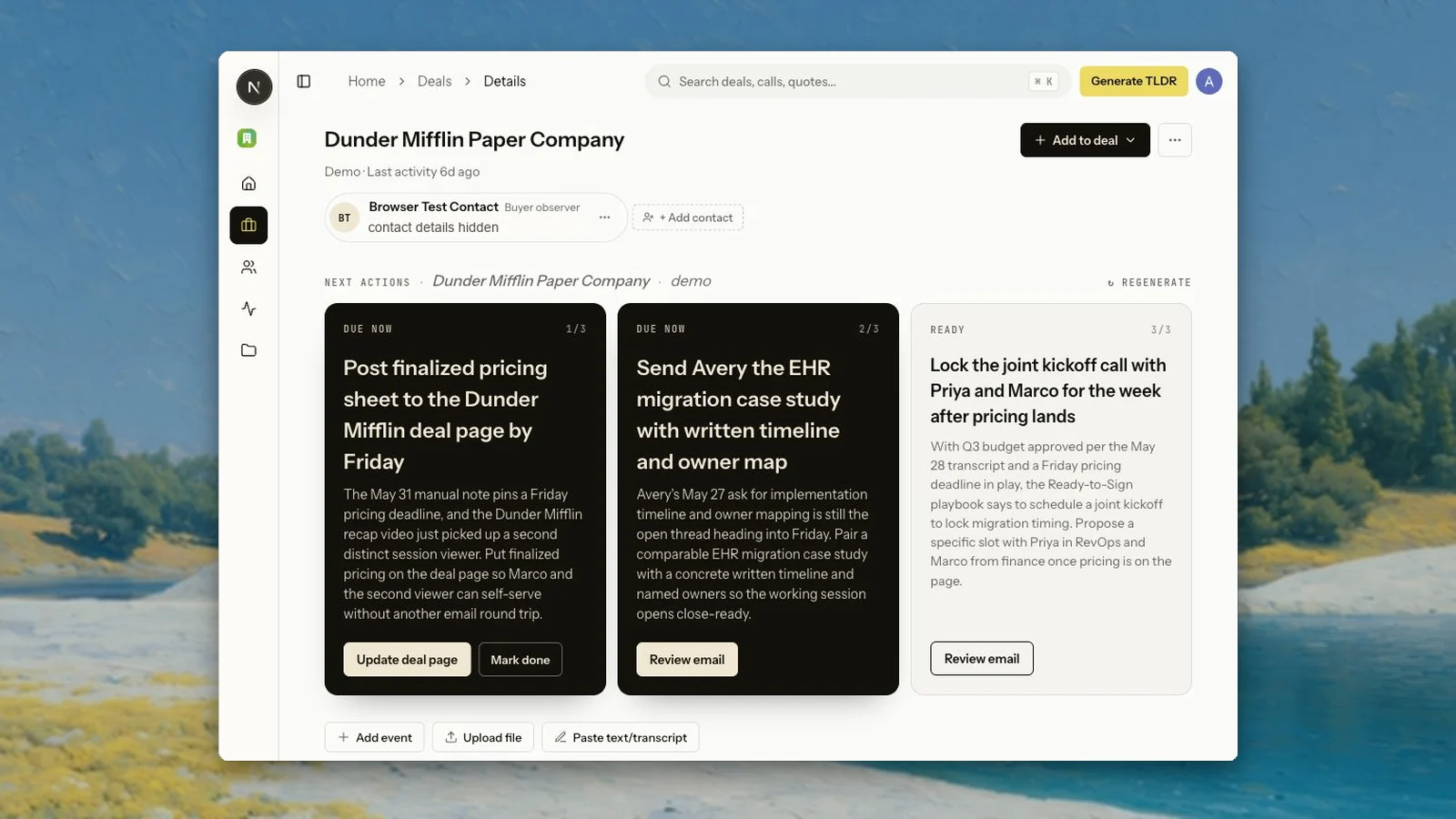
Zu is now part of the product
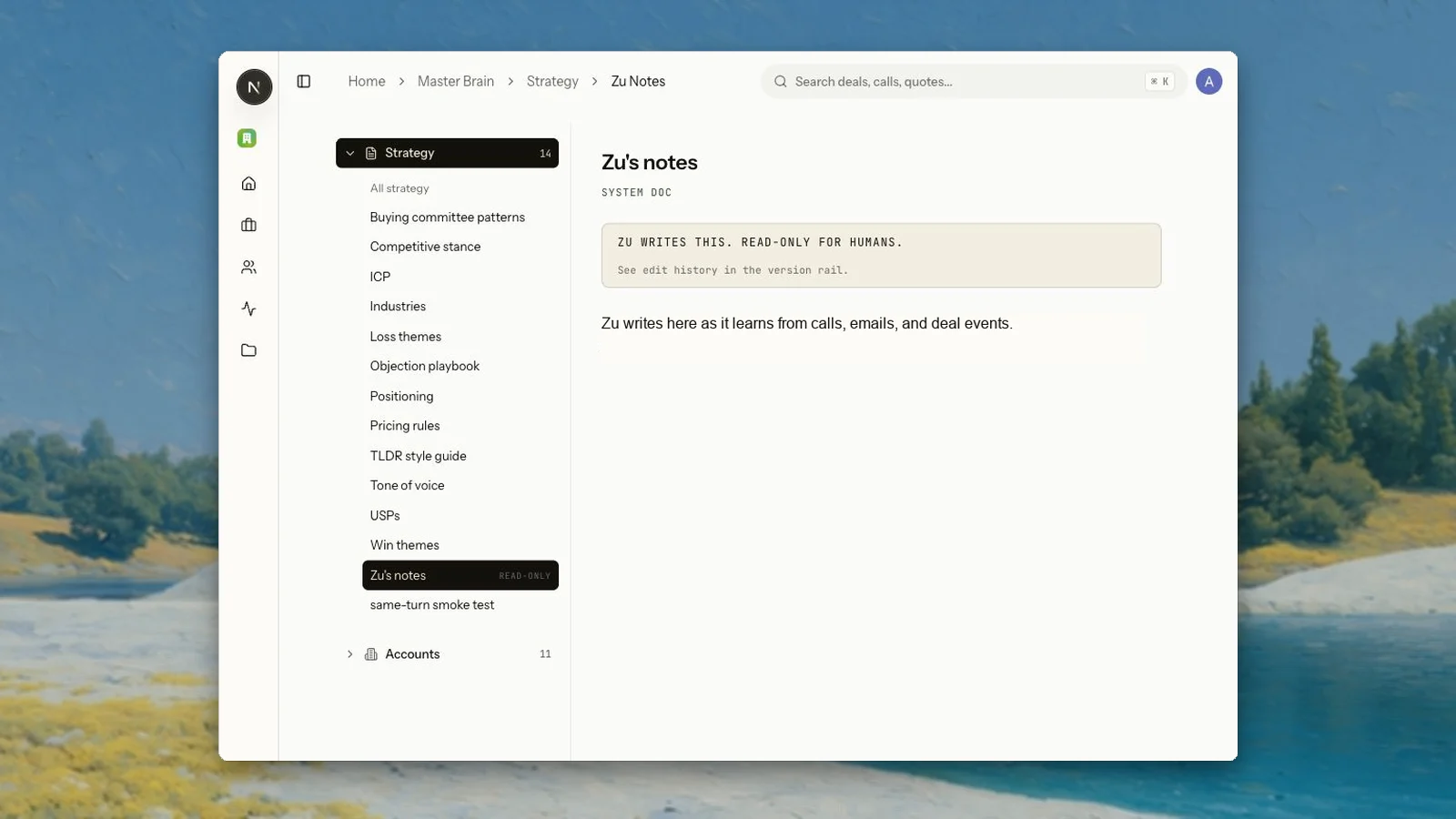
Zu is the workspace chat agent. It can answer questions from the current route, inspect deals, pull contacts, create or update artifacts, read uploaded attachments through searchable chunks, and keep notes in the Master Vault.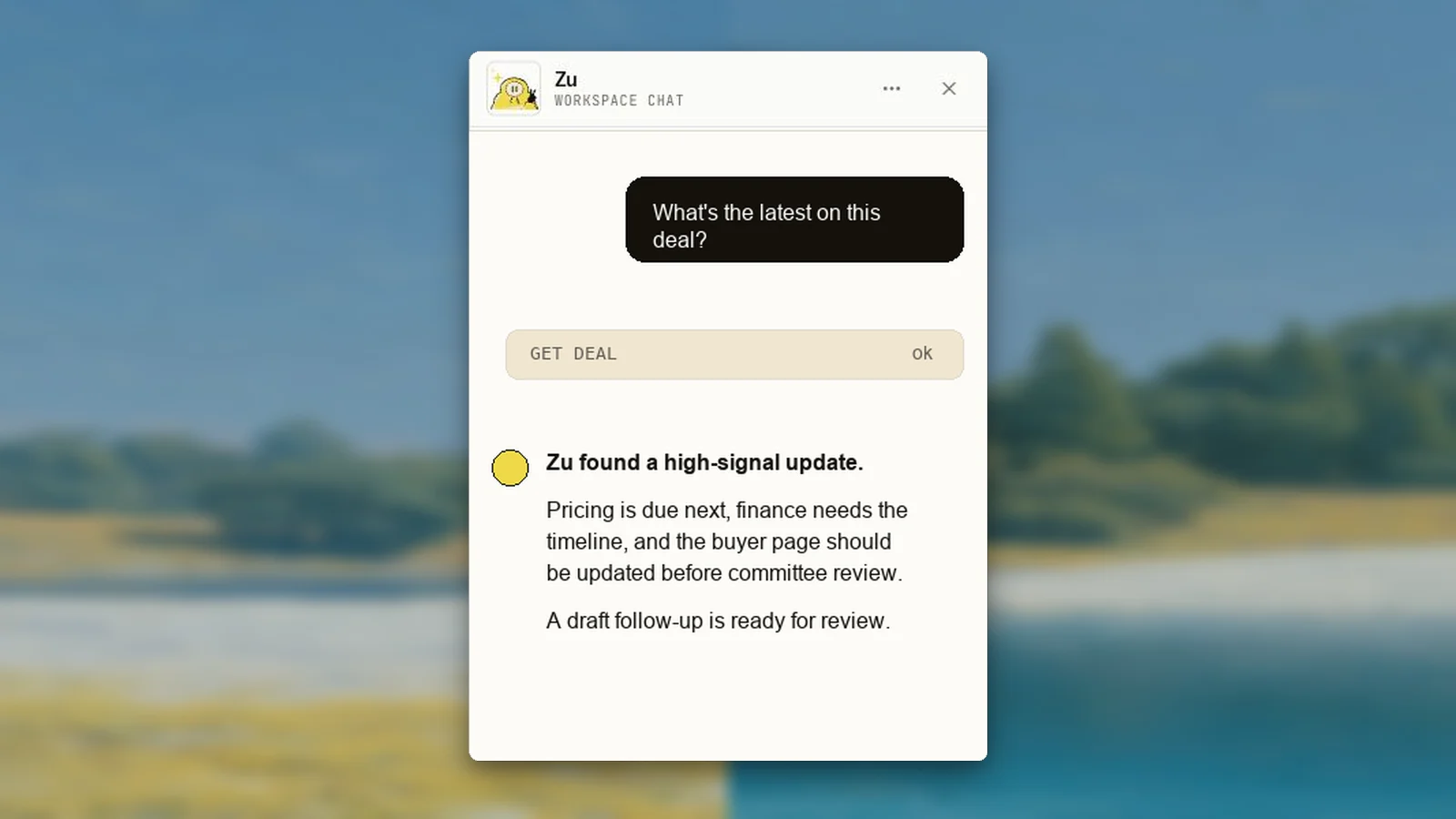
Gmail is a source of signal now
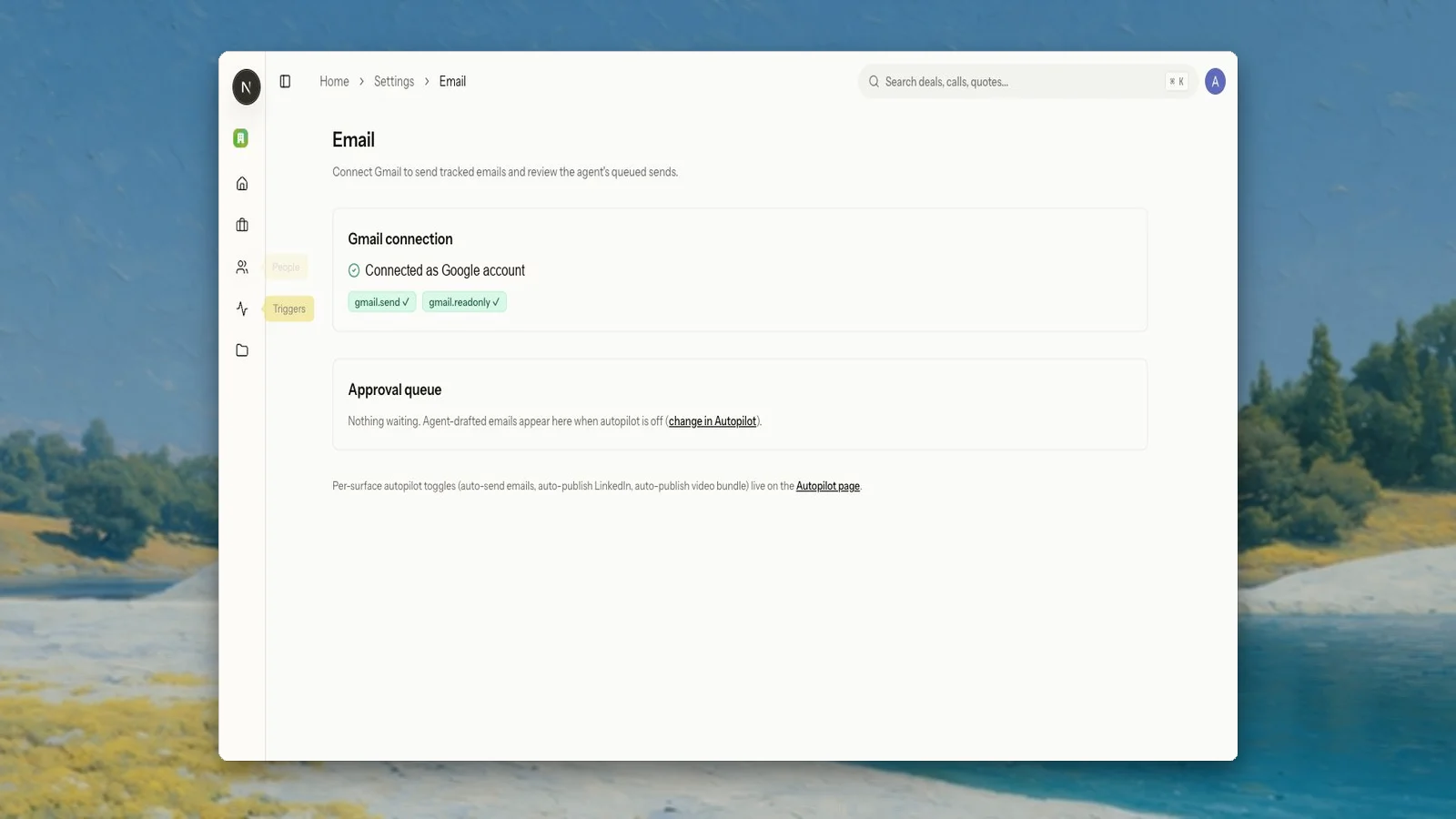
Yuzu can connect to Gmail withgmail.send and gmail.readonly. People pages can backfill relevant conversation history for a contact, deal pages can show deal-scoped email threads, and replies sent from Yuzu are persisted back into the app.Email is still seller-controlled. If email autopilot is off, agent-drafted sends wait in an approval queue. If it is on, the same draft and tracking path can send directly from the connected mailbox.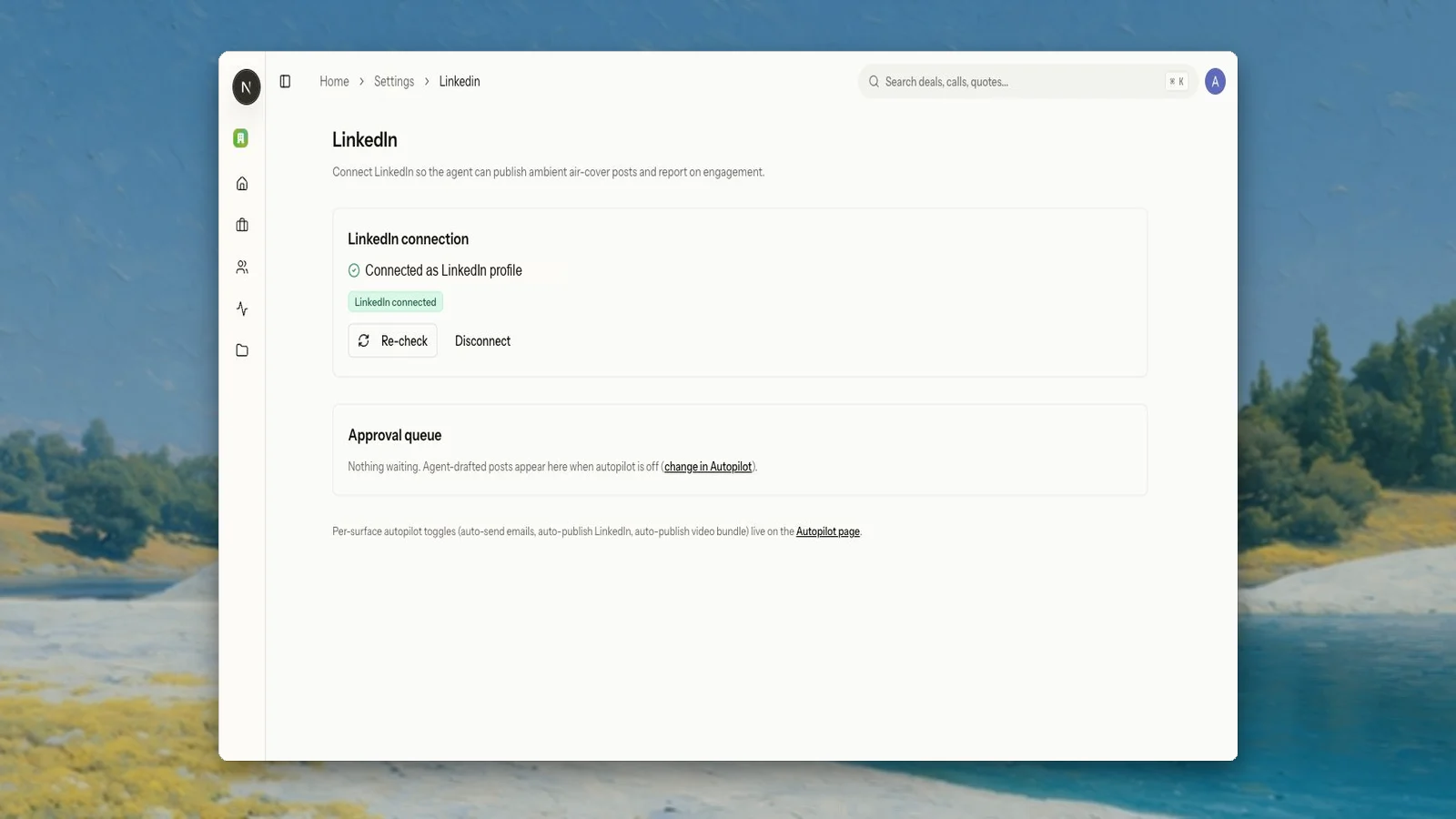
LinkedIn posts and engagement connect back to deals
LinkedIn is now an outbound channel and engagement source. Yuzu can draft posts, route them through approval when autopilot is off, publish from the connected profile, and pull reactions or comments back into the workspace.When a LinkedIn actor matches a saved person profile, Yuzu can connect that engagement to the right buyer thread instead of treating social activity as a disconnected vanity metric.Better models, better judgment, fewer sloppy drafts
We upgraded the model registry across agents and content generation. Deep deal and chat work now uses Claude Opus where the task needs longer reasoning, Sonnet handles high-volume generation and summarization, and Haiku handles cheap classification-style work.We also added LLM judge passes for generated content. Drafts can be scored against a rubric, revised once using judge feedback, and rejected when the revision does not improve. This gives Yuzu a stronger quality gate before buyer-facing copy becomes an email, LinkedIn post, or business-case asset.Smaller things that matter
- Deal next actions can be regenerated from the deal page and coalesce rapid clicks into one agent run.
- Public business-case pages are now the primary buyer page, not the old timeline-style deal room.
- Business-case pages support video-first layouts, theater mode, picture-in-picture behavior, transcript copy, and CTA mailto actions.
- Product assets can be added as reusable buyer-facing material for business-case pages.
- Public link and rendered-video engagement feeds into deal engagement events for downstream signal.
- Chat is hidden on public routes and only mounts inside authenticated workspace routes.
Cleaner deal navigation, safer ownership, and less duplicate automation
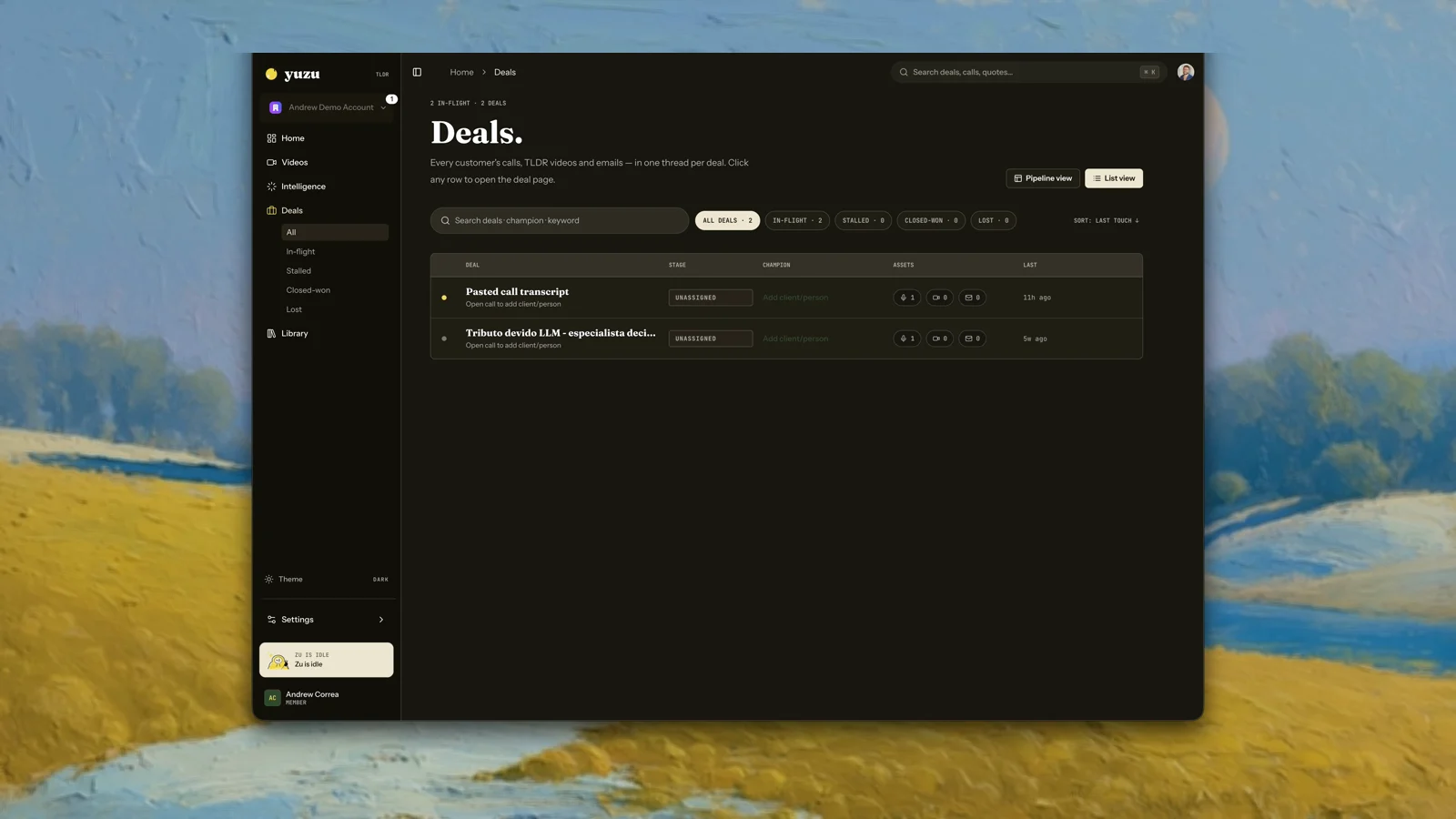
One route for customer work
Deals, unassigned calls, Library cards, and video pages now point back to the same customer thread. If a call is not assigned yet, it opens as a temporary call page inside Deals instead of jumping to a raw transcript.Public Yuzu Links remain shareable buyer links. Internal deal pages remain the workspace view for calls, videos, drafts, quotes, and search.Notetaker fanout is deduped
We tightened notetaker ownership so one provider meeting becomes one canonical transcript. If Yuzu cannot match the call to a workspace member, the transcript stays with the admin/integration owner until an admin assigns it.Autopilot is also idempotent per source meeting, so duplicate webhooks or integration fanout do not create repeated recap videos or burn quota twice.Safer background work
Search, analytics, pattern clustering, completed-video visibility, and KB reindexing now use bounded, recoverable queues and indexes. The goal is boring: new data should show up without duplicate jobs, stalled drains, or workspace-scale scans.Ask anything across calls, deals, and GTM signal
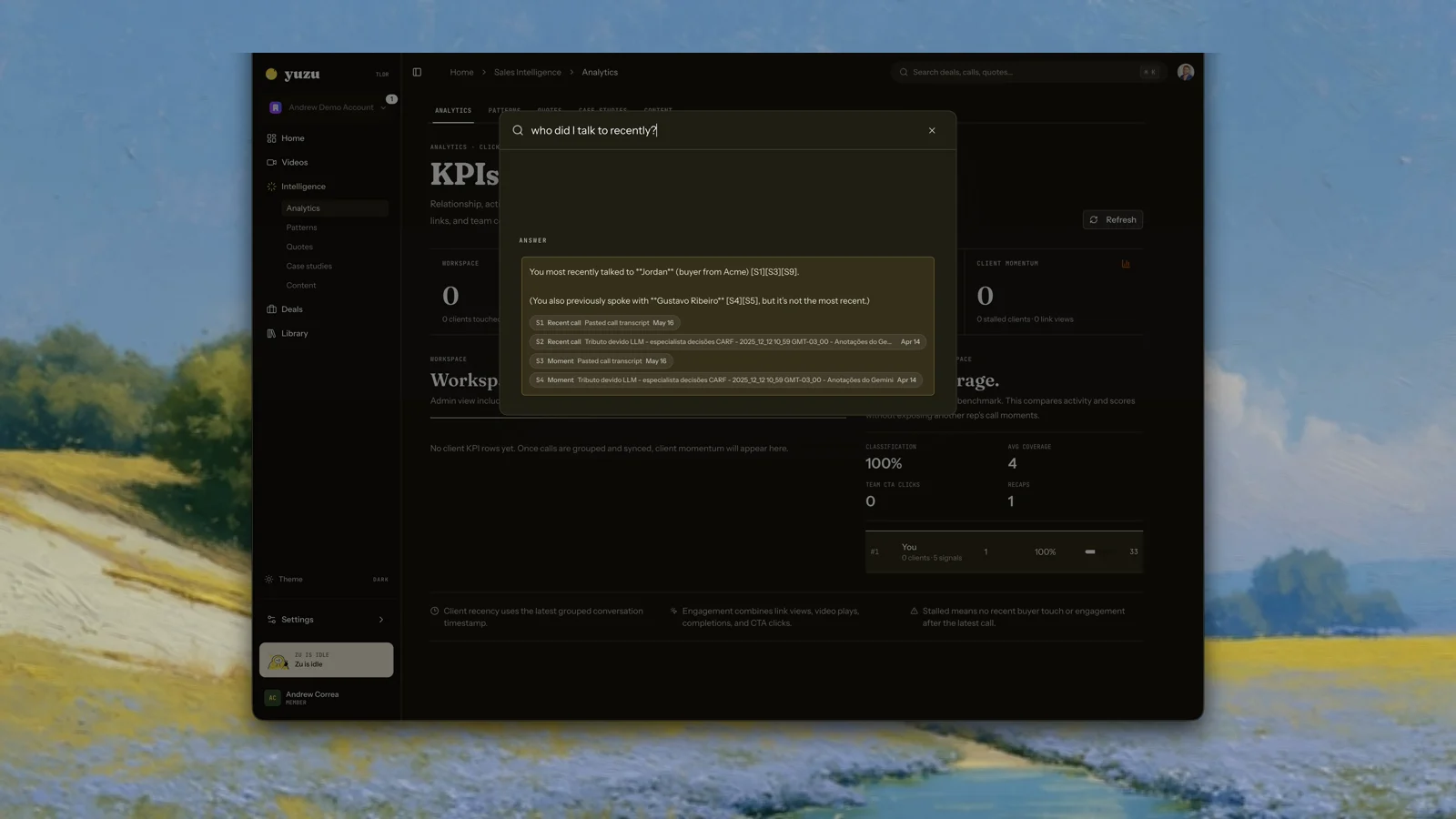
Cmd-K can answer questions now
Search is no longer only a list of matching records. Ask a question like “who did I talk to recently?” or “who asked for security review?” and Yuzu gathers evidence from calls, insights, analytics, and recent transcript context.Answers include citations so you can open the source instead of trusting a summary.Intelligence is a real workspace now
The old async insights page has been replaced with a full Intelligence section: KPIs, patterns, quotes, case-study candidates, and content ideas. KPIs are powered by call, video, link, insight, and team-coverage data. Patterns and content suggestions will keep getting sharper as more call data is indexed.Under the hood
We added full-call vector search, insight vector search, Typesense search docs, ClickHouse analytics facts, and coalesced sync queues so new call activity updates search and analytics without creating duplicate background work.Deals became the unit of memory
Calls now roll up into deals
Yuzu now groups calls, TLDR videos, public links, email draft suggestions, and insights into buyer deal threads. When a notetaker or integration provides clean metadata, grouping happens automatically.When the source is messy, the call stays visible as unassigned. You can assign or merge it later. Merge is a grouping action; it does not delete the original calls, videos, links, or drafts.Deal pages carry context forward
Recap generation can use previous calls from the same deal, not only the current transcript. Deal pages also include searchable call moments, so you can ask where a buyer mentioned a feature, objection, or next step.Email drafts are suggestions
Yuzu can draft follow-up emails from call and deal context. It does not access your inbox or send email for you. Review the draft, edit it, and send it from your own email client.A new Yuzu workspace
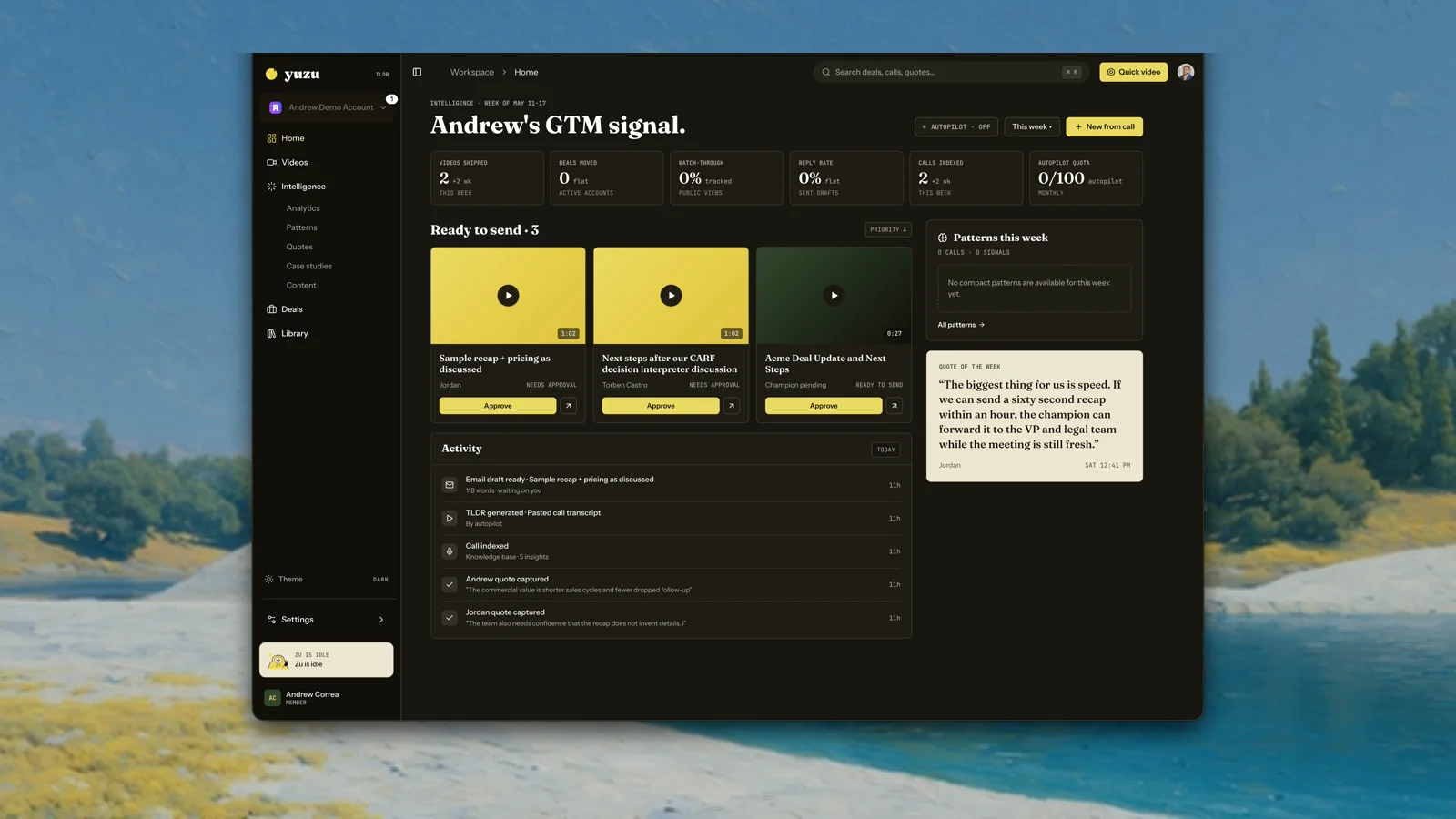
The app now speaks Yuzu
We rebuilt the app shell around the new brand system: Fraunces headlines, warmer surfaces, yuzu yellow, ink, leaf, and a much clearer navigation model.Home is now a GTM signal board instead of a generic dashboard. It shows what needs review, what happened recently, whether autopilot is on, and which customer language is worth paying attention to.Video creation got more personal
We added thumbnail customization, cloned voice support across supported videos, better public video pages, and a cleaner approval flow. Public pages can now show moments and chapters, including useful non-sales-call videos.Dark theme, onboarding, and the new site
Dark theme is now first-class, onboarding guides new workspaces through brand and voice setup, and the public website has been updated around the same “Just keep talking” product story.Onboarding, Circleback, and video sharing upgrades
New workspace onboarding
New workspaces now get a guided setup flow for brand details, voice selection, notetaker setup, and a first TLDR preview. You can also replay onboarding from settings when you want to refresh setup choices with your team.Better shared video pages
Public video pages now support richer business case content, editable business case copy, FAQs, restored analytics breakdowns, and personalized video thumbnails. Shared videos also stay visible while processing, so links do not feel broken during generation.Voice and notetaker improvements
You can create cloned voices, choose them in video flows, and manage them from avatar admin. Notetaker setup now includes Circleback, organization-scoped Ergo and Circleback connections, safer webhook handling, and automatic transcript sharing for new team members.Fixes and polish
- Preserved automation flow creators during processing.
- Improved classification recovery without abandoning existing rows.
- Tightened organization routing during sign-in and onboarding.
- Cleaned up video UI hook dependencies and onboarding preview transitions.
Public docs launched
- Introduced this documentation site, replacing scattered internal notes.
- Published the Sales Email Video Flow API reference.
- Added Integrations section starting with notetakers (Fireflies, Granola, Fathom).