

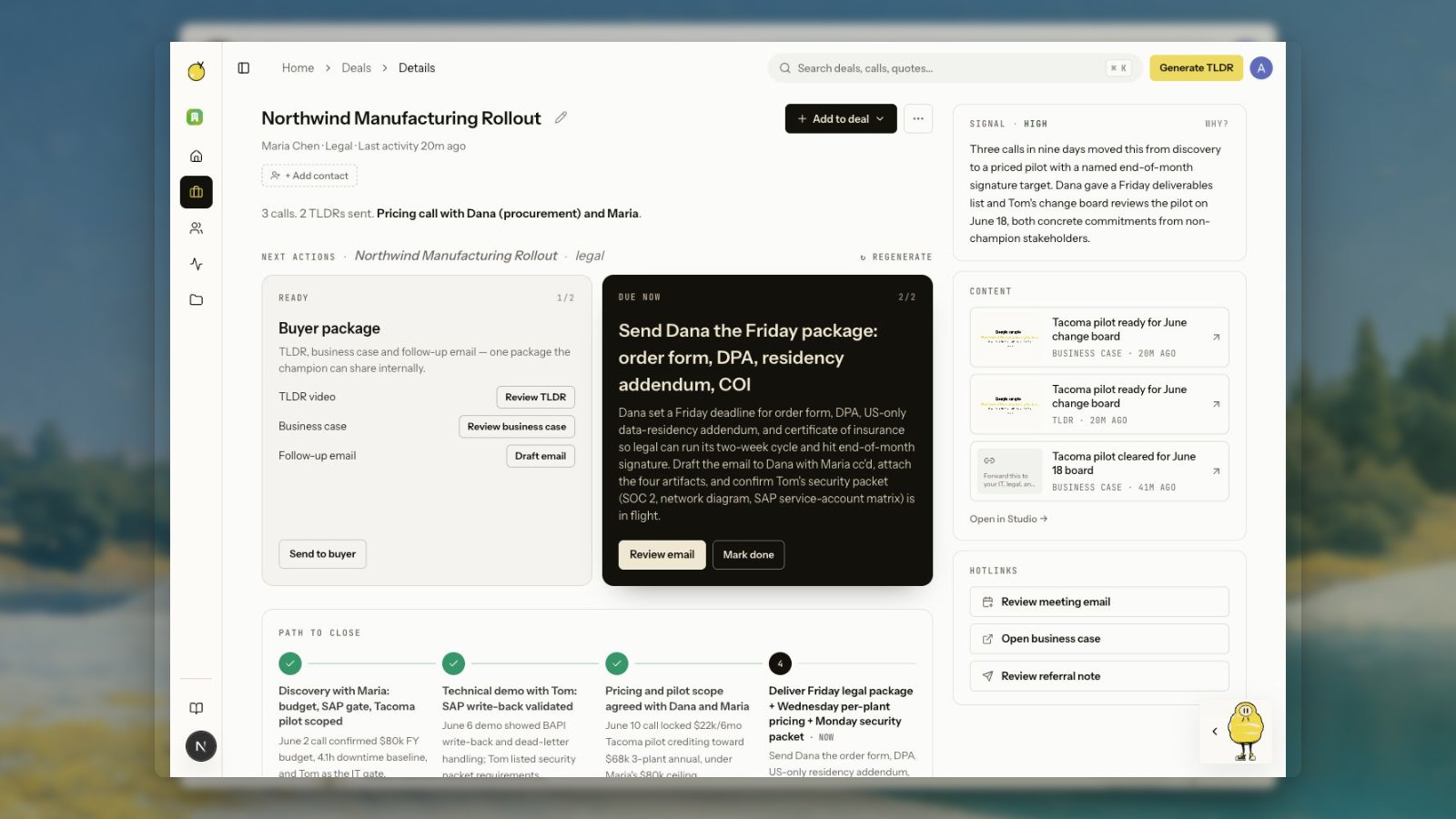
Deal thread
The thread is ordered by activity. It can include:- Meeting transcripts
- Generated TLDR videos
- Public Yuzu Links
- Email threads and draft suggestions
- LinkedIn posts and engagement
- Captured quotes and indexed insights
- Searchable moments from previous calls
- Manual events, notes, links, extracted page text, and uploaded files
Next actions
The next action cards are generated by the deal agent. They explain the recommended move, why it matters, and which surface to use. The standard buyer package is shown as one grouped card, not separate TLDR, business-case, and email cards. The package can include:- TLDR video
- Business-case page
- Follow-up email
- LinkedIn post, when one exists or is recommended
Add evidence to a deal
Use Add to deal when useful evidence lives outside the connected sources.- Add activity records a manual event or note.
- Add link attaches a web page and, when possible, extracts readable page text into the deal thread.
- Upload file stores a file as deal evidence.
- Paste text/transcript turns raw call notes or transcript text into deal context.
Summary and path to close
When Yuzu has enough activity, the page includes a concise summary under the header and a horizontal path-to-close timeline below the action cards. The timeline shows what is done, what is happening now, and what still needs to happen before the deal closes. It is generated from deal evidence, so older deals may fill in after the deal agent runs again.Search inside a deal
Yuzu indexes both extracted insights and full-call chunks. That means a deal page can answer narrower questions like:- “Who asked for the implementation timeline?”
- “Where did they mention security review?”
- “What objections came up before pricing?”