

Prerequisites
- A Circleback account with access to Automations.
- A Yuzu workspace where the users who should own transcripts are members.
- Admin access to Settings -> Notetaker in Yuzu.
Setup
1
Open the Circleback setup in Yuzu
In your Yuzu workspace, go to Settings -> Notetaker, click Connect Notetaker, and choose Circleback. Yuzu creates the integration and shows a unique webhook URL that looks like
https://<your-yuzu-host>/webhooks/notetaker/ntk_<token>.2
Create a Circleback automation
In Circleback, open Automations, create a new automation, and use After every meeting as the trigger.In Choose what happens, select Send webhook request.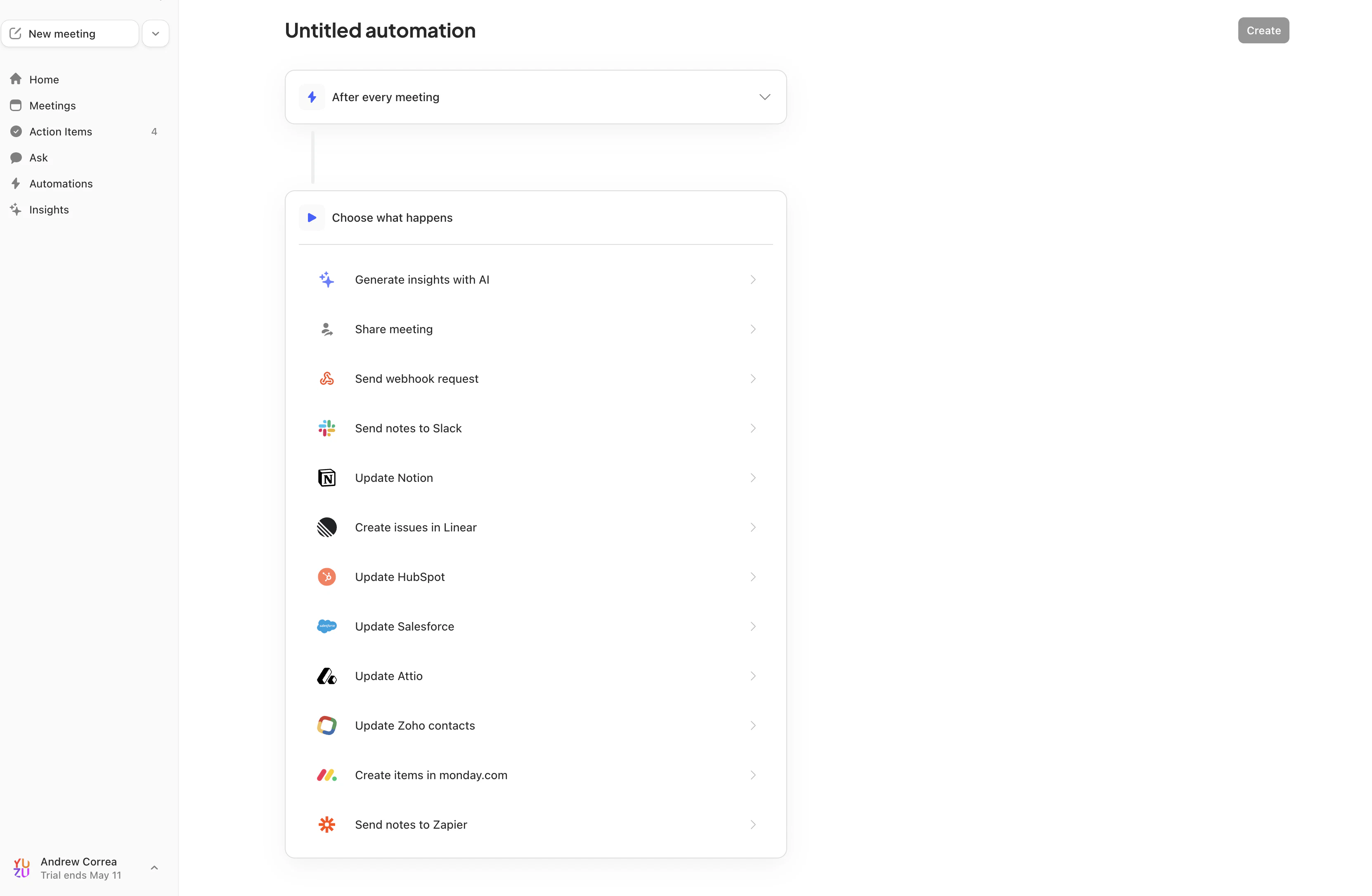
3
Paste the Yuzu webhook URL
Copy the webhook URL from Yuzu and paste it into Circleback’s Endpoint field.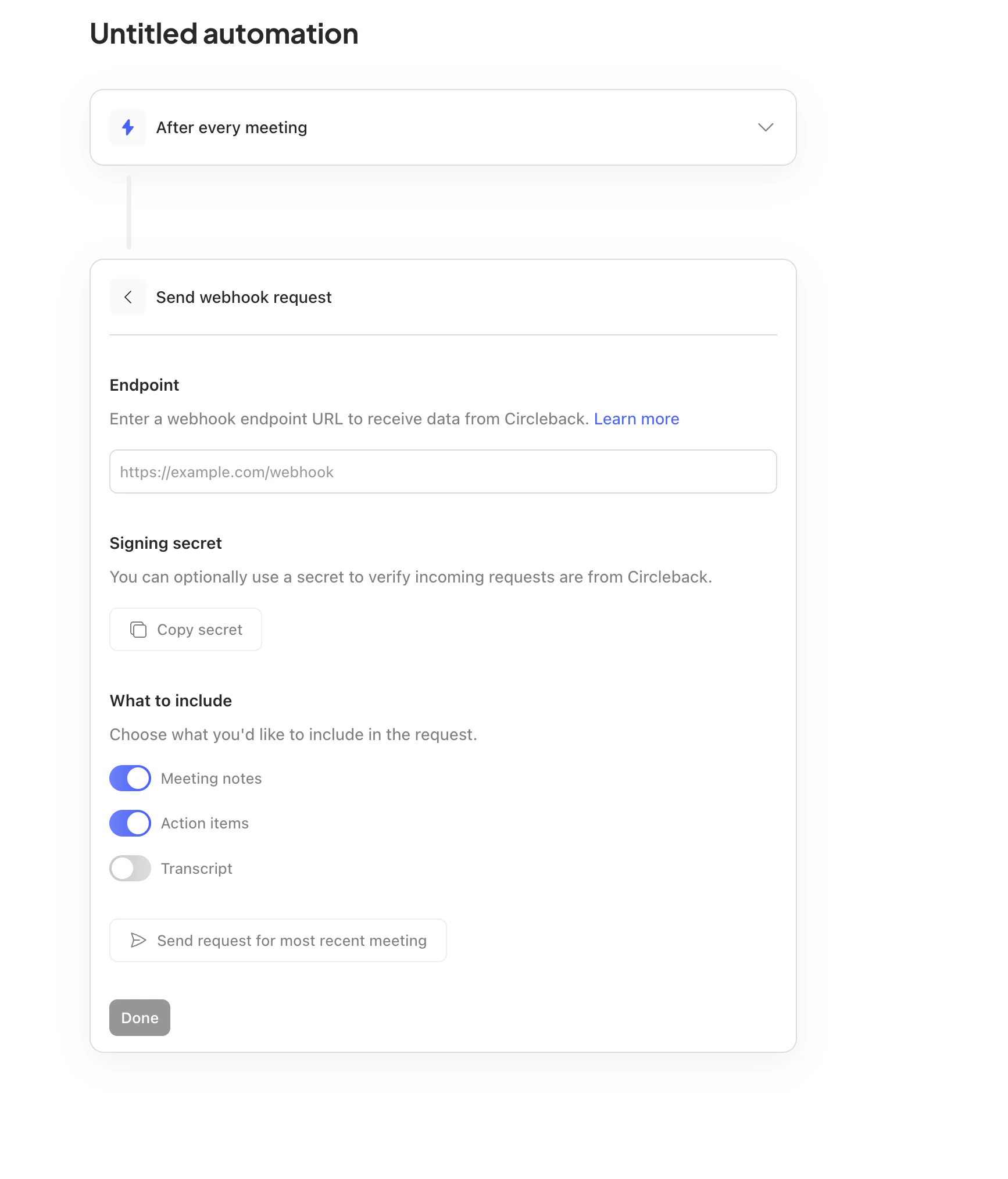
4
Copy the signing secret into Yuzu
Circleback creates the signing secret for the webhook step. Click Copy secret in Circleback, then paste it into the Signing Secret field in Yuzu.If Circleback is already connected in Yuzu, open the Circleback row on Settings -> Notetaker and paste the secret into the connected integration’s Signing Secret field.
5
Include notes, action items, and transcript
In Circleback’s What to include section, enable Meeting notes, Action items, and Transcript. The transcript toggle is required for TLDR generation.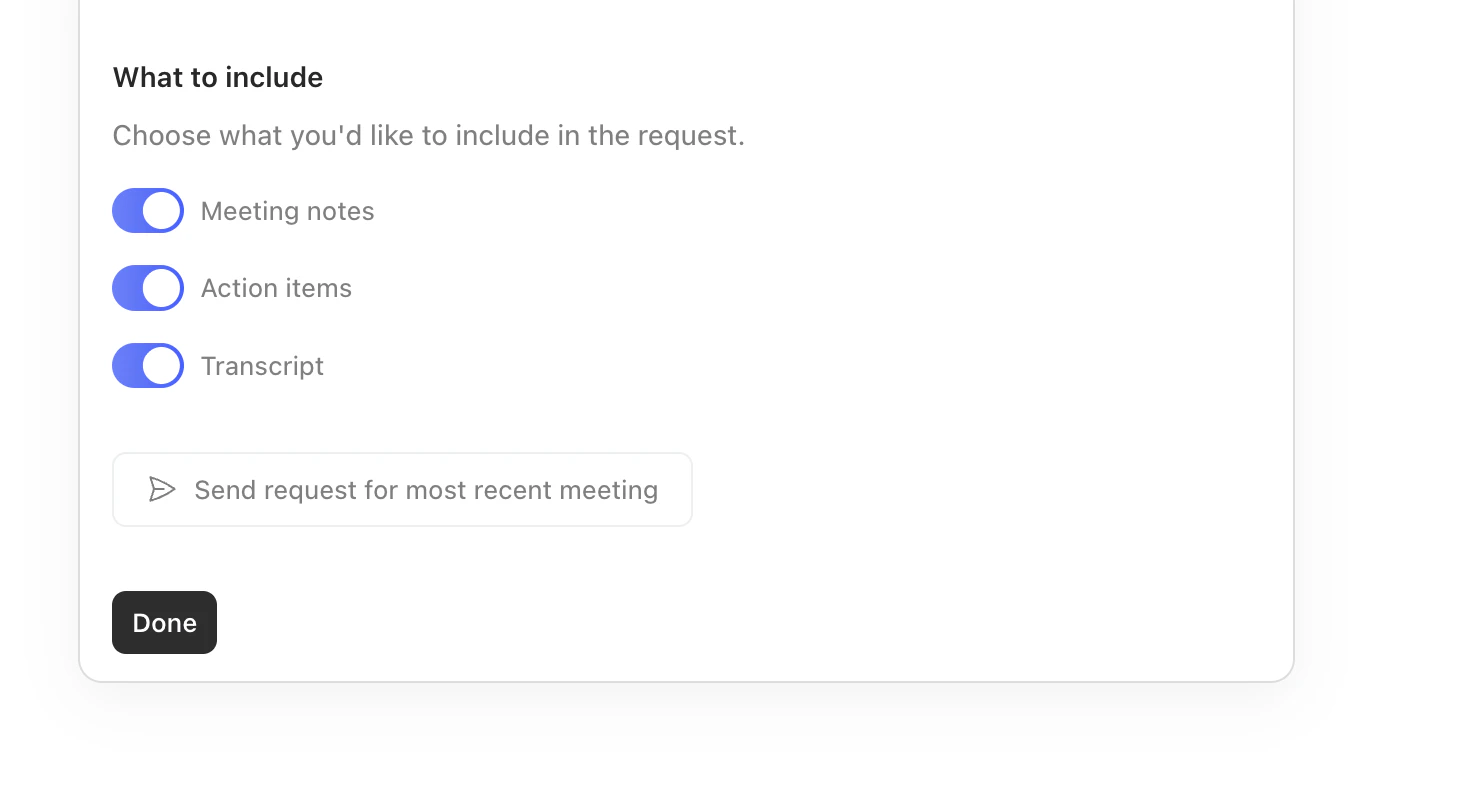
6
Send a test request and save
Click Send request for most recent meeting in Circleback. In Yuzu, confirm the webhook is received, then check I have added the webhook URL to Circleback and click Complete Setup. Return to Circleback and save the automation.
Ownership mapping
Circleback includes attendee names and email addresses in each webhook. Yuzu maps attendee emails to members of the connected workspace and creates a transcript for each matched member. If none of the attendees match a Yuzu workspace member, the transcript is assigned to the user who connected Circleback.What gets imported
Circleback sends the full meeting payload in the webhook body, so Yuzu does not need a follow-up API call. Yuzu imports:- Transcript segments with speaker labels and timestamps.
- Meeting title, duration, creation date, and attendees.
- Circleback notes as the transcript summary.
- Action items as Yuzu action item strings.
- The recording URL as the meeting video URL when Circleback sends
recordingUrl. - A source link back to
https://app.circleback.ai/meetings/{meetingId}.
Troubleshooting
Webhooks reach Yuzu but are rejected
Webhooks reach Yuzu but are rejected
Confirm the signing secret in Yuzu matches the secret shown in the Circleback webhook step. Circleback signs requests with the
x-signature header using HMAC-SHA256 over the raw request body.The transcript is assigned to the wrong user
The transcript is assigned to the wrong user
Make sure the meeting attendee email in Circleback exactly matches the Yuzu workspace member email. If no attendee email matches, Yuzu assigns the transcript to the integration owner.
The meeting does not appear in Yuzu
The meeting does not appear in Yuzu
Confirm transcripts are included in the Circleback webhook request. Yuzu discards Circleback webhook payloads with no transcript because there is no follow-up API fetch path for Circleback.