

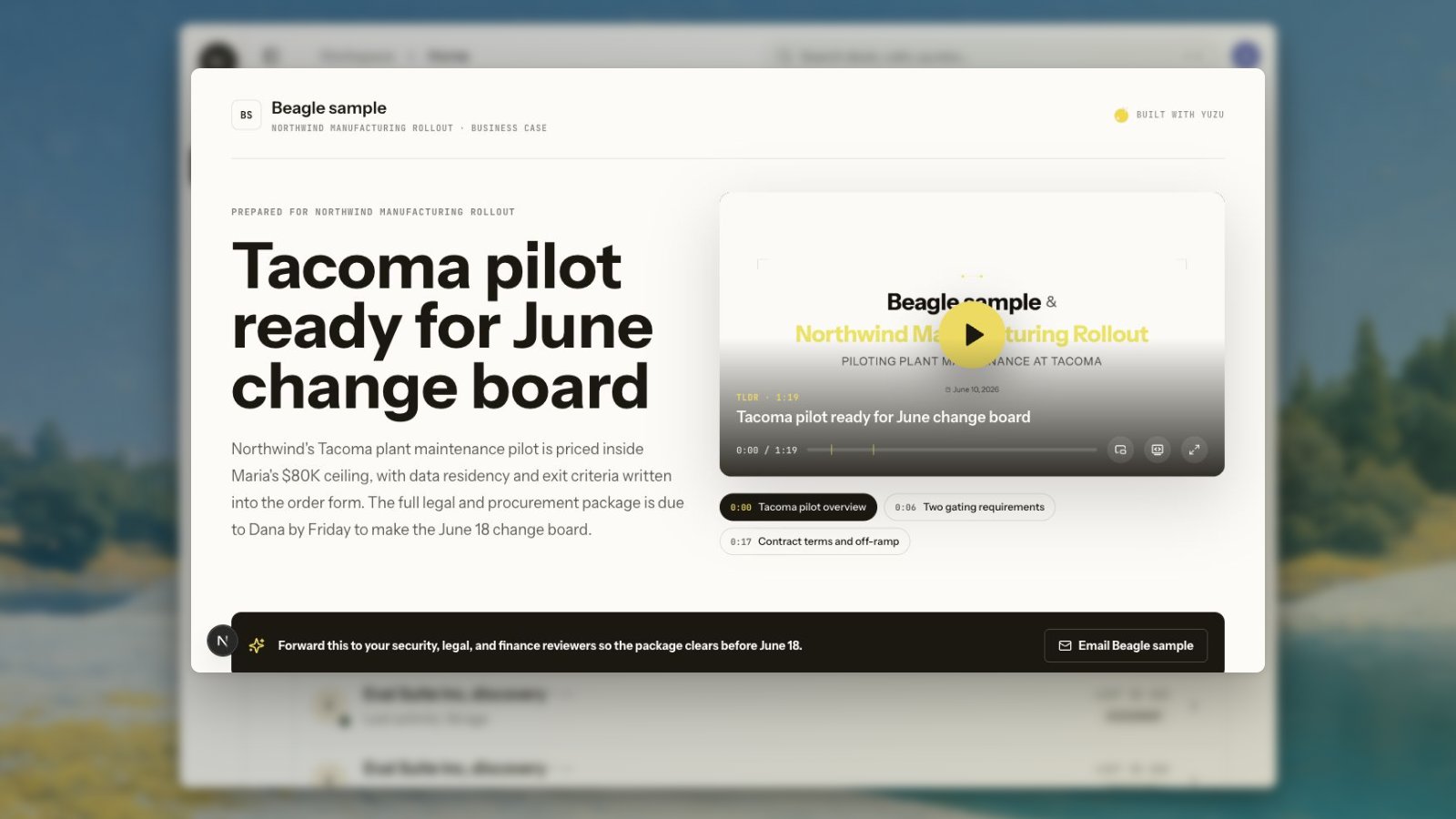
Layout
Business-case pages lead with a short title, a concise summary, and the recap video. The title should be skimmable; the page is meant to be forwarded inside the buyer’s company. The default layout places the video beside the headline and summary on wider screens. Theater mode switches to a stacked layout with the title, summary, and video in a larger viewing position.Video controls
The player can support:- Theater mode
- Full screen
- Picture-in-picture while scrolling
- Transcript display
- Copy transcript
CTA
The CTA should give the buyer a useful next step. For seller follow-up, use a mailto-style CTA that opens a draft to the seller with a short subject and starter body.Product assets
Some teams have product material that should always be available on a business-case page: calculators, ROI sheets, screenshots, links, one-pagers, or buyer-specific files. Add these as product assets rather than embedding them in the recap video. The video should stay focused; the page can carry the supporting proof.Analytics
Business-case pages can feed engagement back into Yuzu:- Page views
- Video play progress
- Video completion
- CTA clicks
- Link views when the page is shared through a Yuzu Link
Review and sharing
Review the business-case page from the deal’s buyer package card. If the TLDR or page is still generating, the card shows the generating state and disables the review action until the asset exists. After review, use the package send action or the follow-up email row to share the page. The page should use the rendered asset generated for the deal. If a page ever points at onboarding sample media, treat that as a data or generation issue to fix before sending.Studio business cases
Studio includes a Business cases view for generated business-case pages. Use it to find shared and draft pages, search by buyer or title, and open the page editor when you need to review a buyer-facing asset outside the deal page. Legacy Studio deal-page URLs redirect to Business cases. Yuzu no longer treats the old public timeline deal room as the expected buyer surface.Master business page
The master business page is a workspace-level overview page, not a one-deal page. It is generated from a short product description and one real call transcript, then published at a readable/v/[company-firstname] URL.
Use it when a buyer or partner needs a high-level explanation of what you sell before there is enough deal-specific evidence for a richer buyer package. The master TLDR can be generated without requiring the old legacy 16:9 avatar path.