> ## Documentation Index
> Fetch the complete documentation index at: https://docs.yuzulabs.io/llms.txt
> Use this file to discover all available pages before exploring further.
# Search and ask anything
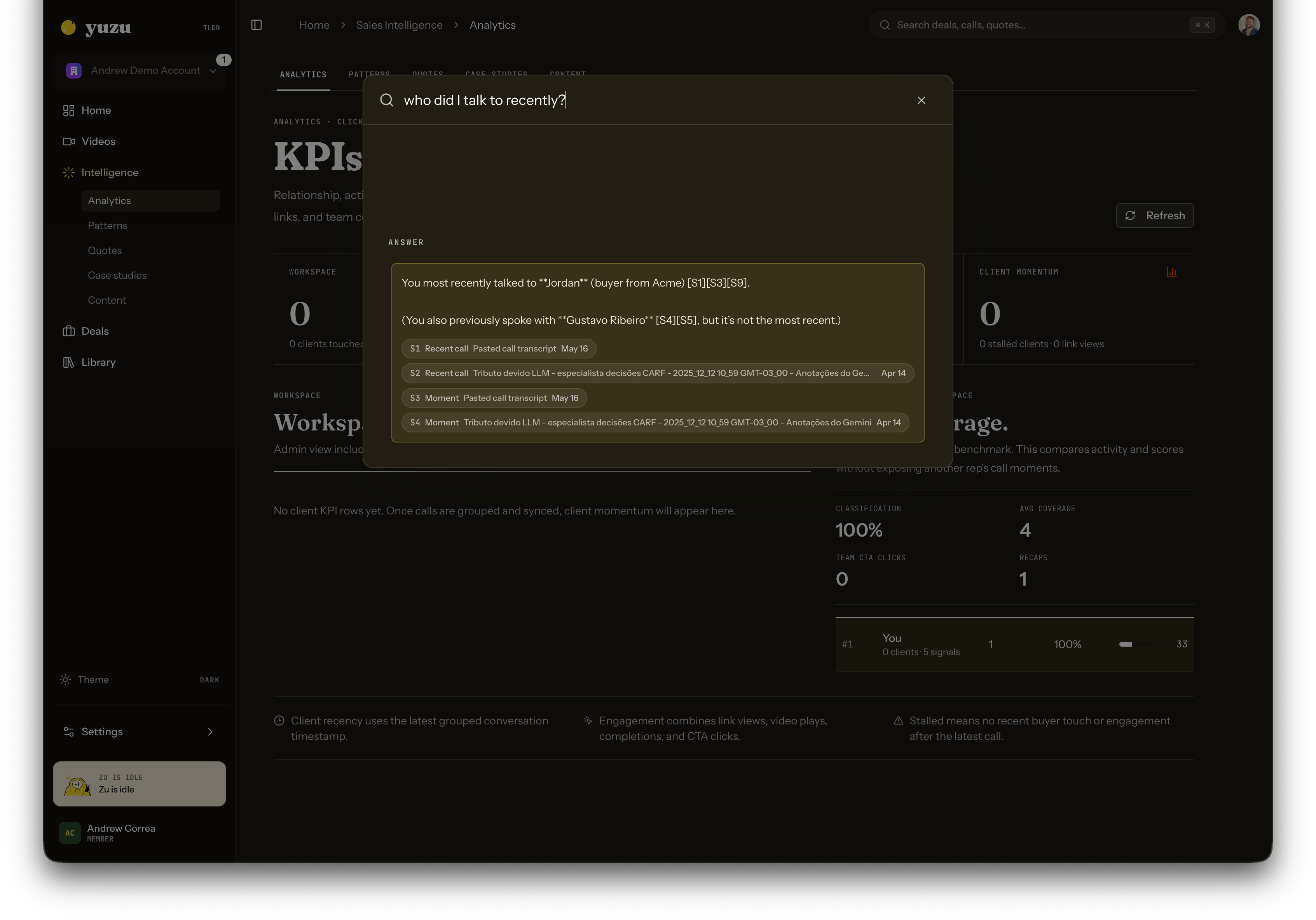
> Use Cmd-K to search Yuzu or ask natural-language questions across calls, insights, videos, links, and analytics.
Cmd-K is both a launcher and a question box.
 ## What it searches
Yuzu combines multiple indexes:
* **Typesense** for fast keyword search across app records.
* **Mongo vector search** for extracted call insights and full-call moments.
* **ClickHouse** for analytics records and KPI-style search hits.
* **Convex** for recent transcript context and workspace-scoped records.
## Asking questions
When your query looks like a question, Yuzu gathers evidence and returns a short answer with citations. You can click the cited records to inspect the source.
Good questions include:
* "Who did I talk to recently?"
* "Who asked us to build the HubSpot sync?"
* "Which customer mentioned security review?"
* "What objections came up last week?"
## Scope and privacy
Answers are scoped to the current workspace and your role. Member-scoped users only receive evidence they are allowed to see.
## When to use keyword search
Use shorter terms when you want a list instead of an answer, for example a customer name, video title, quote text, or integration name.
## What it searches
Yuzu combines multiple indexes:
* **Typesense** for fast keyword search across app records.
* **Mongo vector search** for extracted call insights and full-call moments.
* **ClickHouse** for analytics records and KPI-style search hits.
* **Convex** for recent transcript context and workspace-scoped records.
## Asking questions
When your query looks like a question, Yuzu gathers evidence and returns a short answer with citations. You can click the cited records to inspect the source.
Good questions include:
* "Who did I talk to recently?"
* "Who asked us to build the HubSpot sync?"
* "Which customer mentioned security review?"
* "What objections came up last week?"
## Scope and privacy
Answers are scoped to the current workspace and your role. Member-scoped users only receive evidence they are allowed to see.
## When to use keyword search
Use shorter terms when you want a list instead of an answer, for example a customer name, video title, quote text, or integration name.